⏱ 19 min read
Let me start with the opinion first: most UML use case diagrams in enterprises are either painfully vague, wildly over-modeled, or both. UML modeling best practices
You’ve seen them. A few stick figures. A bunch of bubbles. Lines everywhere. Maybe an < and < tossed in to make it look serious. Everyone nods in the workshop, the slide gets approved, and then nobody uses it again. Six months later the team is arguing about service boundaries, identity flows, Kafka topics, and who actually owns the customer onboarding journey.
That’s the problem. Use cases are supposed to clarify intent. In practice, architects often turn them into decorative compliance artifacts. EA governance checklist
Here’s the contrarian view: UML use cases are not primarily about diagramming software behavior. They are about exposing responsibility, external interaction, and system value at the boundary. If you use them that way, they’re still useful. If you use them as mini-process maps, pseudo-sequence diagrams, or requirements dumpsters, they become noise. UML domain modeling
So let’s clean this up.
What UML use cases actually are
Simple version first.
A use case describes how an actor interacts with a system to achieve a goal.
That’s it.
- Actor: a person, another system, or an external role
- System: the thing you are defining the boundary for
- Use case: a goal-oriented interaction that delivers value
A use case diagram gives a high-level picture of:
- who interacts with the system
- what outcomes they seek
- where the system boundary sits
It does not describe every internal step, every API call, every event, or the exact business process. That confusion is one of the main reasons use cases get abused in enterprise architecture.
If you remember only one thing, remember this:
> A use case is about externally visible intent, not internal implementation.
That’s the SEO-friendly version. Now let’s get into the part architects usually get wrong.
Why use cases still matter in enterprise architecture
In architecture work, the hardest problem is rarely drawing boxes. It’s deciding what those boxes are responsible for, who uses them, and what absolutely must happen at the boundary.
That is exactly where use cases help.
A good use case model forces you to answer uncomfortable but important questions:
- Who is the real actor here: customer, banker, fraud engine, IAM platform, payment network?
- What system are we actually talking about?
- What business goal does this interaction achieve?
- Is this a capability of the system, or just an internal processing step?
- Are we modeling a business interaction or a technical mechanism?
Those are architecture questions, not analyst trivia.
In enterprise environments, use cases are especially useful when you need to align:
- business stakeholders
- product owners
- engineering teams
- security teams
- integration teams
- platform teams
A use case gives everyone a shared language before you disappear into APIs, Kafka topics, OAuth scopes, cloud landing zones, and deployment diagrams. cloud architecture guide
And yes, I know some architects think use cases are old-school. They’ll say, “We’re event-driven now,” or “We do domain-driven design,” or “Everything is just APIs and products.” Fine. None of that removes the need to define who the system serves and what outcomes it supports. If anything, modern distributed systems need better boundary thinking, not less.
The core elements, explained without the usual fluff
1. Actor
An actor is not just a human user. This matters in enterprise systems.
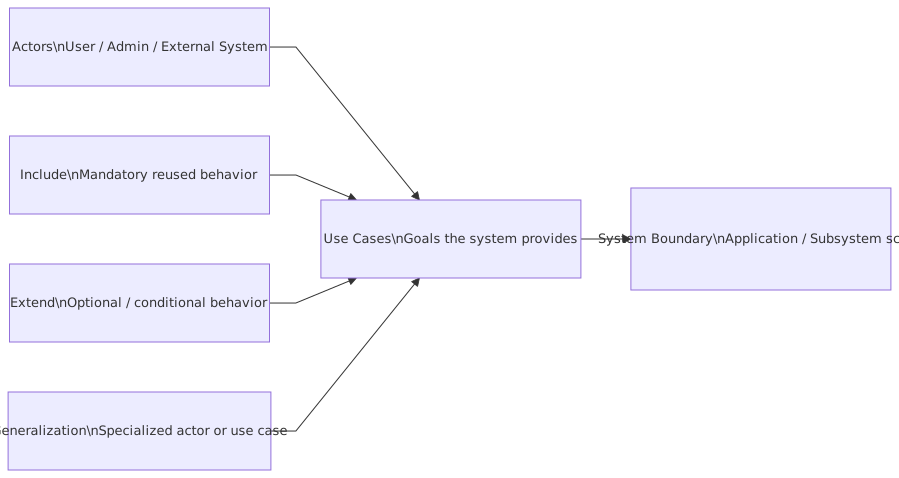
Actors can be:
- a retail customer
- a branch employee
- an operations analyst
- an IAM service
- a core banking platform
- a payment gateway
- a fraud scoring engine
- a Kafka-consuming downstream service
The actor is external to the system boundary. If it lives inside your system, it is not an actor. That distinction sounds obvious. It apparently is not.
2. Use case
A use case is a goal the actor wants to accomplish with the system.
Examples:
- Open Account
- Authenticate Customer
- Submit Loan Application
- Freeze Card
- Generate Regulatory Report
- Publish Payment Status
- Provision Employee Access
Notice what these have in common: they are meaningful outcomes.
Bad examples:
- Validate JSON
- Call Kafka Producer
- Write to Database
- Invoke IAM Token Endpoint
Those are implementation steps, not use cases.
3. System boundary
This is where architecture starts getting real.
The system boundary defines what system you are modeling. If the boundary is wrong, the use cases are wrong.
Are you modeling:
- the mobile banking app?
- the digital onboarding platform?
- the enterprise IAM platform?
- the event streaming platform?
- the entire retail banking ecosystem?
These are different systems with different actors and different use cases. Mixing them into one diagram is how you get architecture wallpaper.
4. Relationships: association, include, extend, generalization
Most enterprise diagrams become unreadable because people overuse these.
- Association: actor participates in use case
- Include: mandatory reused behavior
- Extend: optional or conditional behavior
- Generalization: specialization of actor or use case
My strong opinion: use include and extend sparingly. Very sparingly. If your use case diagram starts looking like a logic puzzle, stop. You’re probably trying to model behavior that belongs in a process flow, activity diagram, sequence diagram, or just plain text.
The practical purpose of use cases in architecture
Use cases are not a substitute for all other models. They are one lens.
Here’s where they are genuinely useful in architecture work:
That table is the point. Use cases are an entry point, not the whole architecture.
A mature architect knows when to stop with use cases and move on to more precise models.
Where architects misuse UML use cases
Let’s be honest. The mistakes are repetitive.
Mistake 1: Modeling internal technical steps as use cases
This is the classic one.
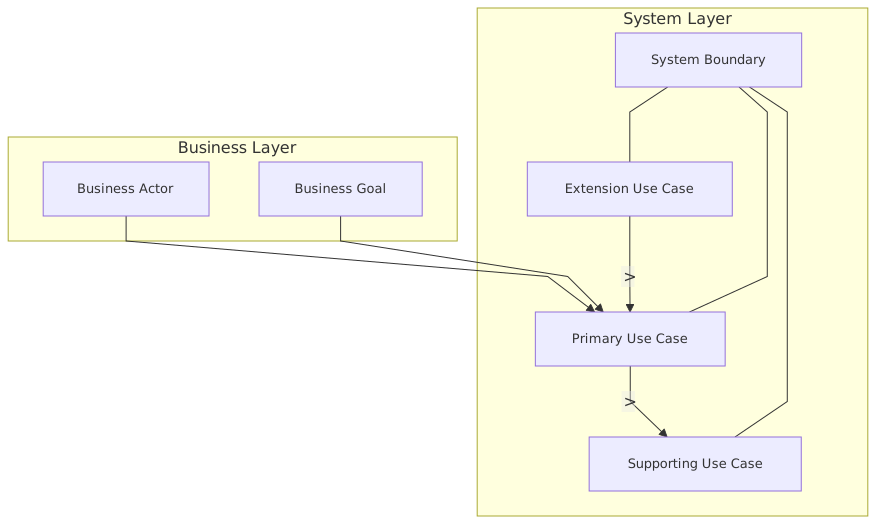
You’ll see a diagram for a banking onboarding platform with use cases like:
- Validate KYC payload
- Persist customer record
- Publish onboarding event
- Generate token
That’s not use case modeling. That’s implementation leakage.
If the actor doesn’t care about it as a goal, it probably isn’t a use case.
A customer wants to Open Account.
An operations analyst wants to Review Exception Queue.
A branch employee wants to Verify Customer Identity.
Nobody wakes up wanting to Serialize Event to Kafka.
Mistake 2: Confusing enterprise process with system use case
Another common failure: people try to capture the whole end-to-end business process as one use case diagram.
For example:
- Customer submits application
- Sales reviews application
- Risk assesses application
- Compliance checks sanctions
- Core banking creates account
- CRM updates profile
- Data lake ingests event
- Notification service sends email
That’s a process across many systems. It is not one use case diagram for one system.
Use case diagrams require a clear system boundary. Enterprise architects often resist that discipline because they want one “big picture” artifact. Big picture usually means blurry picture.
Mistake 3: Drawing the system boundary too wide
If your system boundary contains mobile app, IAM, Kafka platform, customer service portal, fraud engine, and core banking, you are not modeling a system. You are avoiding a decision. enterprise architecture guide
Architects do this because boundary decisions are political. But avoiding the decision creates worse downstream confusion:
- unclear ownership
- duplicated controls
- security gaps
- integration sprawl
- wrong APIs
- brittle event contracts
Use cases force boundary discipline. That’s a feature, not a limitation.
Mistake 4: Overusing include and extend
A lot of architects discover < and < and suddenly every diagram looks like an inheritance tax scheme.
Use them only when they make understanding easier.
For example:
Authenticate Customermight be included by several digital channel use cases if authentication is a shared, mandatory interactionPerform Step-Up Authenticationmight extendApprove High-Risk Paymentunder certain conditions
Fine. Reasonable.
But if every use case includes six other use cases and extends three more, your audience is not learning anything. They are decoding notation.
Mistake 5: Treating the use case diagram as sufficient requirements
This one causes real delivery pain.
A use case diagram is high-level. It does not tell you:
- alternate flows
- business rules
- exception scenarios
- data contracts
- latency constraints
- IAM policies
- event ordering requirements
- resiliency expectations
Architects who stop at the diagram create ambiguity for delivery teams. Then they blame engineering for “not understanding the design.”
No. The design was incomplete.
A better way to use use cases in enterprise architecture
Here’s the approach I’ve found works in real programs.
Step 1: Define the system boundary first
Before drawing actors or bubbles, answer:
- What system am I modeling?
- What is inside vs outside?
- Who owns it?
- What business capability does it provide?
If you cannot answer that in one sentence, don’t start drawing.
Example:
> We are modeling the Digital Customer Onboarding Platform, owned by Retail Banking Digital, responsible for onboarding retail customers and initiating account creation through downstream systems.
Good. Now you have a boundary.
Step 2: Identify external actors, not internal components
External actors might include:
- Customer
- Branch Banker
- Sanctions Screening Service
- Enterprise IAM Platform
- Core Banking System
- Notification Service
Notice that these are outside the onboarding platform boundary.
Step 3: Name use cases as outcomes
Use verbs plus outcomes:
- Start Onboarding
- Verify Identity
- Submit Application
- Review Failed Verification
- Create Customer in Core Banking
- Notify Customer of Application Status
Keep them goal-oriented.
Step 4: Write short textual use cases
This is where the real value appears.
For each major use case, write:
- goal
- primary actor
- preconditions
- main success flow
- alternate flows
- postconditions
- key non-functional concerns
A short textual use case is often more useful than the diagram itself.
Step 5: Connect use cases to architecture artifacts
For each important use case, ask:
- Which applications participate?
- Which APIs are called?
- Which Kafka events are published or consumed?
- What IAM flows are required?
- What cloud services are involved?
- What controls or audit records are required?
This is how use cases become architecture inputs instead of shelfware.
Real enterprise example: retail banking onboarding in a cloud-first architecture
Let’s make this concrete.
Suppose you’re architecting a retail banking onboarding platform running in the cloud. The bank wants customers to open accounts digitally through mobile and web channels. The platform integrates with:
- enterprise IAM for authentication and identity federation
- KYC and sanctions providers
- core banking for customer and account creation
- Kafka for event distribution
- notification services for email/SMS
- cloud-native services for orchestration, storage, and observability
This is a very normal enterprise setup.
The wrong way to model it
What many architects do:
- create one giant diagram called “Retail Banking Onboarding”
- put every system inside one vague boundary
- add use cases like “Publish Event,” “Authenticate via OAuth,” “Store Document,” “Call Core API”
- show no distinction between actor goals and technical plumbing
Result: nobody understands what the platform actually owns.
The better way
Define the system boundary as the Digital Onboarding Platform.
External actors:
- Customer
- Branch Banker
- Enterprise IAM Platform
- KYC Provider
- Sanctions Service
- Core Banking System
- Notification Platform
- Fraud Service
Possible use cases:
- Register for Onboarding
- Authenticate Customer
- Submit Customer Details
- Verify Identity
- Review Verification Exception
- Create Customer and Account
- Notify Customer of Outcome
Now the model starts making sense.
Why this matters architecturally
IAM
If Authenticate Customer is a use case, then architecture questions follow:
- Is IAM delegated to the enterprise identity provider?
- Are we using OIDC for customer authentication?
- Do we support MFA for high-risk journeys?
- Is onboarding allowed for unauthenticated users initially, with identity binding later?
- How are consent and session management handled?
Use cases reveal trust boundaries. That leads directly to IAM architecture.
Kafka
If Create Customer and Account triggers downstream event publication, then you can identify:
- which events are part of externally visible business outcomes
- which are internal technical events
- who consumes them
- what ordering and idempotency rules matter
For example:
CustomerOnboardingSubmittedIdentityVerificationCompletedAccountCreatedOnboardingFailed
These are not use cases themselves. They are event consequences of use cases.
That distinction is critical in event-driven architecture. A lot of teams blur actor goals and event emissions, then wonder why topic design becomes chaotic.
Cloud
Use cases also help decide cloud decomposition.
If Review Verification Exception is a distinct operational use case for back-office staff, maybe it deserves:
- separate UI workflow
- separate authorization roles
- separate audit trail
- separate service module
- different scaling assumptions from customer-facing onboarding
Without use case clarity, cloud decomposition often follows team structure or technology preference instead of actual interaction patterns.
Example: mapping one use case into architecture decisions
Take the use case: Verify Identity
At first glance it sounds simple. It never is.
Textual use case summary
Primary actor: Customer
Supporting actors: IAM Platform, KYC Provider, Fraud Service
Goal: Customer identity is verified sufficiently to proceed with account opening
Main flow:
- Customer submits personal details and identity documents
- Platform validates submission completeness
- Platform sends verification request to KYC provider
- Fraud service assesses risk indicators
- Platform receives result
- Customer is marked verified or routed for manual review
Alternate flows:
- KYC provider unavailable
- Document quality insufficient
- Fraud score above threshold
- Identity partially matched, manual review required
Postconditions:
- Verification status recorded
- Audit trail persisted
- Event published for downstream processing
Now look at what architecture work falls out of that:
- IAM: Is the customer authenticated before document submission? If not, how do we bind identity later?
- Integration: Is KYC sync or async? What is the timeout behavior?
- Kafka: Do we publish
IdentityVerificationCompletedonly on success or also on manual review? - Cloud resilience: Do we queue verification requests when external provider latency spikes?
- Security: Where are documents stored? How is encryption handled? Who can access them?
- Operations: What dashboard exists for exception review?
- Compliance: What evidence is retained for audit?
This is why use cases matter. Not because the oval is magical, but because the use case anchors these decisions in real user/system goals.
Banking example: where architects go off the rails
Banking is full of enterprise complexity, and use cases can either simplify it or make it worse.
Here are common bad patterns.
Bad pattern: “Authenticate User” as the center of everything
In banks, IAM often becomes the architecture sun around which all diagrams orbit. Every interaction turns into an auth discussion.
Authentication matters. But it is usually not the business use case. It supports the business use case.
A customer does not come to the bank to authenticate. They come to:
- view balance
- transfer money
- dispute a transaction
- open an account
- freeze a card
Authentication is often an included use case or a precondition, not the main story.
Bad pattern: event platform treated as actor and system at the same time
With Kafka-heavy shops, architects sometimes model Kafka as if it is both the system and the business interaction layer.
Kafka is infrastructure. Sometimes a consuming or producing system can be an actor relative to another system boundary, yes. But the topic itself is not the business goal.
Don’t create fake use cases like:
- Publish Topic
- Consume Event
- Retry DLQ Message
Those belong in operational or integration views, not business-facing use case modeling.
Bad pattern: compliance interactions ignored
In banking, the “real” actors are not only customers and employees. Compliance and control functions matter:
- sanctions screening systems
- fraud engines
- audit users
- case management teams
- regulators via reporting interfaces
Architects often omit these because they make the diagram less pretty. That’s exactly why they should be included. Enterprise architecture is not supposed to be pretty. It’s supposed to be true. enterprise architecture consulting
How use cases connect to other architecture views
Use cases are useful because they connect nicely to other architectural artifacts when done properly.
Use case to context diagram
The use case tells you which external actors interact with the system. That becomes your context diagram.
Use case to capability map
If a use case represents a stable business outcome, it often maps to one or more business capabilities.
Use case to API design
Use cases can help identify externally meaningful APIs:
- Submit Application
- Retrieve Verification Status
- Approve Manual Review
Use case to event model
Use cases reveal meaningful business events emitted as outcomes:
- ApplicationSubmitted
- VerificationFailed
- AccountOpened
Use case to IAM model
Actors and trust boundaries identify:
- authentication flows
- authorization roles
- service identities
- delegated trust
- token scopes
Use case to deployment and cloud design
Different use cases imply different runtime characteristics:
- customer-facing onboarding needs low-latency responsiveness
- exception review may prioritize auditability over speed
- asynchronous downstream propagation may need event-driven scaling
That’s why use cases should not be dismissed as “just requirements stuff.” They influence architecture if you let them.
My practical rules for architects using UML use cases
Here are the rules I’d actually give a team.
Rule 1: One diagram, one system boundary
No exceptions. If the diagram is “the whole enterprise,” it is useless.
Rule 2: Actors must be external
If it runs inside your system boundary, it is not an actor.
Rule 3: Name use cases as goals, not functions
“Open Account” beats “POST /accounts”.
Rule 4: Keep the diagram sparse
If there are more than 10–12 use cases on one diagram, split it.
Rule 5: Use textual descriptions for the important ones
The oval alone is never enough.
Rule 6: Don’t model implementation detail
Kafka, REST, token exchange, retries, persistence, and schema validation are not use cases.
Rule 7: Use include and extend only when they reduce confusion
Most of the time they increase it.
Rule 8: Tie use cases to architecture decisions
If a use case doesn’t influence boundary, integration, IAM, data, resilience, or operations thinking, ask why you’re modeling it.
A quick example table: good vs bad use cases
This is where a lot of architecture diagrams fail. They describe how the system is built instead of what it is there to do.
Contrarian thought: sometimes you should skip the use case diagram
Yes, really.
If the system is deeply technical and has no meaningful user-goal interaction at the level you’re discussing, a use case diagram may not help.
For example:
- low-level Kafka platform topology design
- cloud network segmentation
- service mesh policy architecture
- database replication strategy
In those cases, use cases can feel forced because they are forced.
Not every architecture problem needs UML use cases. Some need deployment views, trust models, event lineage, sequence diagrams, or ADRs. Mature architects choose the right abstraction instead of blindly producing every UML artifact because the method says so. UML for microservices
But in enterprise systems where people, channels, external platforms, and business outcomes intersect — which is most banking work — use cases are still very effective.
Final thought
UML use cases are not dead. Bad use case modeling should be dead.
If you use them to clarify system boundaries, actor intent, and externally visible outcomes, they remain one of the simplest and most useful tools in an architect’s toolkit. Especially in messy enterprise landscapes full of IAM dependencies, Kafka-driven integrations, cloud sprawl, and political ambiguity over ownership.
If you use them as decorative bubbles for governance packs, they deserve the mockery they often get. ArchiMate for governance
The difference is not the notation. It’s whether the architect is thinking clearly.
And honestly, that’s the real lesson. Use cases don’t make architecture better. Clear boundaries and disciplined reasoning do. Use cases are just one way to expose whether you have them.
FAQ
1. Are UML use case diagrams still relevant in modern cloud and event-driven architecture?
Yes, if used for system boundary and actor-goal clarity. No, if you expect them to model event choreography, cloud deployment, or internal service logic. They are a starting view, not the full design.
2. What is the difference between a use case and a business process?
A use case describes how an actor interacts with one system to achieve a goal. A business process spans multiple roles, systems, handoffs, and decisions across the enterprise. Architects confuse these constantly.
3. Should Kafka or an IAM platform be modeled as an actor?
Sometimes, yes — if they are external to the system boundary and interact with it meaningfully. But Kafka topics, token generation, or internal auth mechanics are not use cases themselves. Keep actor and implementation concerns separate.
4. How detailed should a use case be in enterprise architecture?
High-level in the diagram, deeper in supporting text. The diagram should show actors, goals, and boundary. The text should capture main flow, alternate flow, exceptions, and architecture-relevant concerns like security, integration, and resilience.
5. What is the most common mistake architects make with use cases?
Modeling internal technical functions instead of actor goals. Close second: drawing boundaries so wide that the diagram says everything and therefore nothing.
Frequently Asked Questions
What is UML?
UML (Unified Modeling Language) is a standardised visual modeling language for describing software systems. It defines diagram types for structure (class, component, deployment) and behaviour (sequence, activity, state machine, use case). UML is maintained by the Object Management Group (OMG) and is the most widely used modeling standard in software engineering.
What are the most useful UML diagram types?
For enterprise architects: Component diagrams (application structure and interfaces), Deployment diagrams (infrastructure topology), and Sequence diagrams (runtime interactions). For software architects and developers: Class diagrams (domain models), State Machine diagrams (lifecycle), and Activity diagrams (process flows).
How does UML relate to ArchiMate in enterprise architecture?
UML and ArchiMate are complementary. ArchiMate is used for enterprise-wide architecture views across business, application, and technology layers. UML is used for detailed software design within specific application components. Both are natively supported in Sparx EA, allowing architects to maintain full traceability from EA views down to UML design models.