⏱ 19 min read
Most enterprise UML is either too vague to be useful or too polished to be true. UML modeling best practices
That’s the problem.
Teams spend weeks drawing immaculate boxes and arrows, then ship systems that don’t match the diagrams by the second sprint. Or they reject UML entirely because “agile teams don’t need it,” which is just another kind of laziness dressed up as modern engineering. The truth is less ideological and more practical: UML is useful when it helps people make decisions, and useless when it becomes a decorative compliance artifact. UML for microservices
That’s the core opinion here. UML is not the architecture. It is evidence of architectural thinking. If the model does not help a team align on boundaries, dependencies, ownership, security, or runtime behavior, it should not exist.
What UML modeling actually means in enterprise teams
Let’s make this simple early.
UML, or Unified Modeling Language, is just a standard way to describe systems visually. In enterprise architecture work, that usually means a few practical things:
- showing what systems exist
- showing how they interact
- showing what happens at runtime
- showing where responsibilities begin and end
- showing what should not be coupled
That’s it. Not magic. Not ceremony. Not “draw every class in the platform.”
For enterprise teams, the most useful UML diagrams are usually:
- Use case diagrams for business context, sparingly
- Component diagrams for service/application boundaries
- Sequence diagrams for runtime interactions
- Deployment diagrams for cloud/runtime placement
- Class diagrams only when domain structure really matters
- State diagrams when lifecycle behavior is critical, which is more often than people think
If you’re leading architecture for a bank, insurer, retailer, or platform company, UML is best used as a communication tool between people who do not think the same way: architects, engineers, security teams, delivery leads, operations, auditors, and business stakeholders. That’s where it earns its keep.
The mistake is assuming “more UML” means “better architecture.” Usually the opposite.
The first best practice: model decisions, not everything
This is the best rule I know, and teams still ignore it.
Only model the parts of the system that are under discussion, at risk, or likely to be misunderstood.
If your enterprise team is redesigning IAM integration for cloud-hosted banking services, nobody needs a 14-page object model of every internal utility class. What they need is clarity on:
- where authentication happens
- where authorization is enforced
- which identity provider is the source of truth
- how tokens propagate across services
- where Kafka producers/consumers validate identity context
- what breaks when a dependency is unavailable
That is architecture work.
A lot of architects were trained to “document completeness.” It sounds responsible. In practice, it creates stale diagrams and false confidence. Enterprise systems change too fast. The model should focus on decisions with consequences.
A good UML model answers one or more of these questions:
If the diagram does not answer a real question, don’t draw it.
UML in real architecture work is mostly about alignment
Architects sometimes talk about UML as if it exists for design purity. It doesn’t. In enterprise settings, it exists to reduce ambiguity among teams that have different incentives.
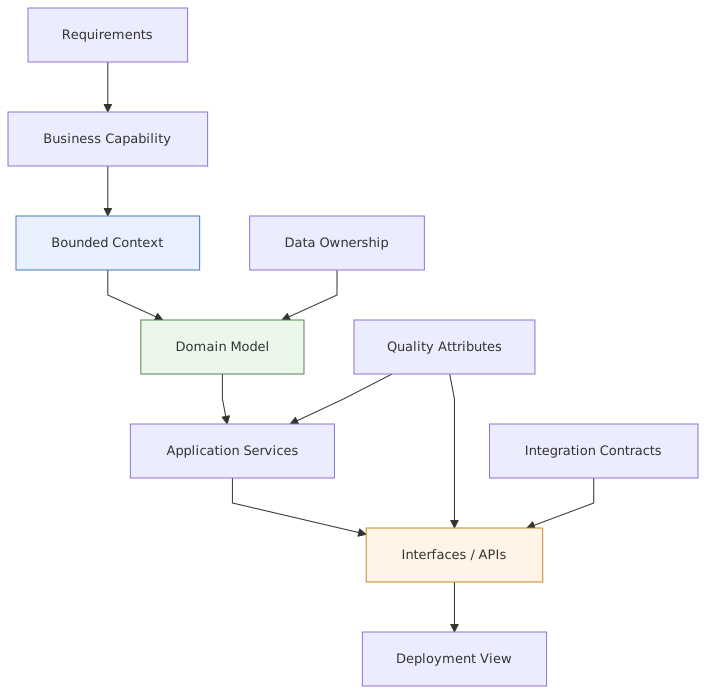
The security team wants control points.
The platform team wants standardization.
The product team wants delivery speed.
The integration team wants predictable contracts.
The operations team wants observability and recovery.
The cloud team wants topology and policy clarity.
A good UML model creates enough shared understanding that those groups can move without tripping over each other.
That’s why “pretty diagrams” are dangerous. Pretty diagrams often hide the hard parts:
- synchronous dependencies disguised as simple arrows
- trust boundaries omitted because they clutter the page
- event flows shown without ownership of schemas
- cloud services represented as generic boxes
- IAM handoffs reduced to “user logs in”
- retry and failure behavior simply not shown at all
Real architecture is not the happy path. UML has value when it surfaces the messy path.
Best practice: use fewer diagram types, but use them well
Enterprise teams often overcomplicate UML by trying to use every diagram type. Don’t.
For most organizations, a practical UML set looks like this:
- Component diagram for structure
- Sequence diagram for behavior
- Deployment diagram for runtime/cloud placement
- State diagram for key business lifecycle states
- Optional class diagram for domain-heavy areas
That’s enough for a lot of architecture initiatives.
I’ll go further: use case diagrams are overrated in technical architecture. They can help early on, especially for stakeholder conversations, but they often stay too abstract to guide engineering decisions. They’re fine. They’re just not where the hard work happens.
Sequence diagrams, on the other hand, are criminally underused. In enterprise systems, runtime behavior is where architecture fails. Authentication chains, Kafka event propagation, timeout behavior, compensating actions, retries, token validation, circuit breaking, asynchronous reconciliation—this is what decides whether a system is robust or merely well-labeled.
If your team has twenty component diagrams and no serious sequence diagrams, you probably don’t understand your runtime architecture as well as you think.
Best practice: model at the right level of abstraction
This sounds obvious. It isn’t.
One of the most common mistakes architects make is mixing levels of abstraction in one diagram. You’ll see a page that includes:
- a business capability
- three microservices
- a Kafka topic
- an AWS VPC
- an Okta tenant
- a customer mobile app
- a Java class
- and a batch job
All in one picture. Completely unreadable. Completely common.
A diagram should have one primary viewpoint. You can reference related details, but don’t force every concern onto one page.
Here’s a practical rule:
- Executive/stakeholder view: systems, responsibilities, major interactions
- Solution architecture view: components, interfaces, trust zones, integration styles
- Engineering/runtime view: sequences, topics, APIs, retries, identity propagation, failure paths
- Platform/cloud view: nodes, clusters, regions, gateways, secrets, IAM roles, network boundaries
If you mix those heavily, people stop trusting the model.
Also, every diagram should declare its scope. Put it in the title if necessary:
- “Payments authorization context – component view”
- “Customer onboarding – sequence view with IAM and Kafka”
- “Fraud platform – deployment view in AWS”
That one small discipline helps more than most notation debates.
Best practice: show ownership, not just connectivity
This is where a lot of UML in enterprise environments stays too theoretical.
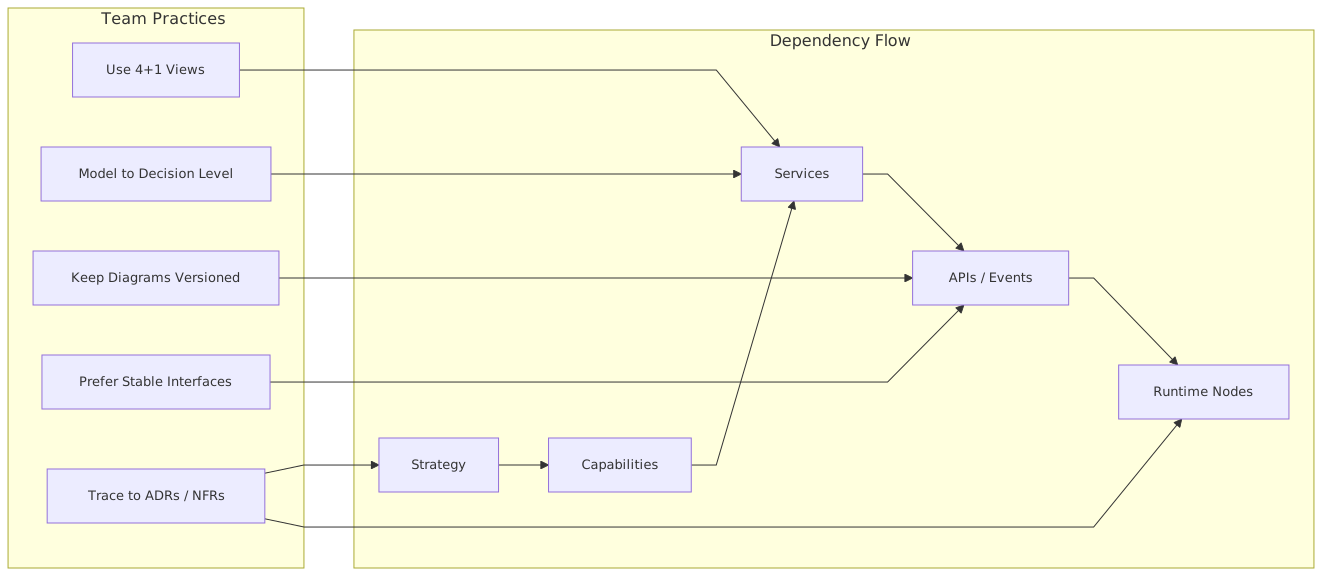
An architect draws five services connected through Kafka and APIs. Fine. But who owns what? Which team owns the schema? Who controls the IAM policy? Who is responsible for the dead-letter queue? Who approves topic retention changes? Who can break backward compatibility?
In real architecture work, ownership matters as much as interaction.
Strict UML notation does not always emphasize ownership cleanly, and this is where I’m a bit contrarian: if you need to bend the notation to make the truth visible, do it. Add stereotypes. Add labels. Add team ownership tags. Add trust boundary shading. Add lifecycle status. Purists may complain. Production incidents won’t care.
For enterprise teams, I strongly recommend annotating diagrams with:
- owning team
- system of record
- trust boundary
- integration style
- SLA or criticality
- data classification if relevant
This is especially important in banking, where a payment service, customer profile service, IAM platform, and Kafka event backbone may all be owned by different teams with different release cadences and controls.
The best enterprise UML is not academically pure. It is operationally honest.
A real enterprise example: banking payments modernization
Let’s walk through a realistic scenario.
A retail bank is modernizing its payments platform. The legacy core banking system remains the system of record for ledger posting, but customer initiation and payment orchestration are being moved into cloud-native services. The architecture includes:
- mobile and web banking channels
- an IAM platform using OpenID Connect and OAuth2
- API gateway
- payment orchestration service in Kubernetes
- fraud scoring service
- Kafka for event-driven processing
- core banking adapter
- notification service
- observability stack in the cloud
This is exactly the kind of environment where UML can be valuable—or useless, depending on how you model it.
What bad modeling looks like here
The bad version is a glossy component diagram that shows:
Customer App → API Gateway → Payment Service → Core Banking
and somewhere off to the side:
Kafka, Fraud, IAM, Notifications
That is not architecture. That is a brochure.
It hides the real questions:
- Does the gateway validate tokens or only route?
- Does the payment service perform fine-grained authorization?
- Is fraud scoring synchronous before acceptance, or asynchronous after reservation?
- Which events are published to Kafka, and by whom?
- What happens if Kafka is unavailable?
- Are notifications triggered by API success or by confirmed state transition?
- Does the core banking adapter expose synchronous APIs or use a queue bridge?
- How is idempotency handled for retries from mobile clients?
Those are design-shaping concerns. UML should expose them.
What good modeling looks like
For this banking scenario, I would produce at least four diagrams.
1. Component diagram
This would show:
- Channel apps
- API gateway
- IAM provider
- Payment orchestration service
- Authorization policy service if separate
- Fraud service
- Kafka cluster
- Core banking adapter
- Notification service
- Audit service
But importantly, it would also show:
- trust boundaries
- team ownership
- whether interactions are sync API or async event
- systems of record
- externally managed services versus internal services
2. Sequence diagram for “initiate payment”
This is the real workhorse.
It should show the actual runtime flow:
- User authenticates through IAM
- Channel obtains token
- Channel calls gateway with token
- Gateway validates token and forwards claims
- Payment orchestration service checks authorization rules
- Payment request persisted with idempotency key
- Fraud scoring invoked
- If approved, payment accepted for processing
- Event published to Kafka:
PaymentInitiated - Core banking adapter consumes or receives command
- Ledger posting result returned or emitted
- Payment state updated
- Notification event emitted
- Customer notified
And then, because this is enterprise architecture and not fantasy, it should also show alternative paths:
- token expired
- fraud timeout
- Kafka unavailable
- core banking delayed
- duplicate request replayed
- notification service failure
That one sequence diagram can prevent weeks of misunderstanding.
3. State diagram for payment lifecycle
This matters because payment systems live or die by state discipline.
Possible states:
- Initiated
- Pending Fraud Review
- Accepted
- Submitted to Core
- Posted
- Rejected
- Failed
- Reversed
- Notified
Without an explicit state model, teams invent semantics in code and messages. Then reconciliation becomes miserable.
4. Deployment diagram for cloud runtime
This would show:
- API gateway in DMZ/edge layer
- IAM integration
- Kubernetes cluster hosting payment and fraud services
- managed Kafka cluster
- secrets manager
- VPC segmentation
- connectivity to on-prem core banking via private link or secure network path
- logging/metrics/tracing stack
This is where cloud architecture and UML should meet. Too many enterprise teams separate them, as if deployment is somebody else’s problem. It isn’t. Runtime placement affects resilience, latency, compliance, and cost. EA governance checklist
Common mistakes architects make with UML
Let’s be blunt. Most UML problems are not tooling problems. They are judgment problems.
1. Modeling too late
Architects sometimes wait until delivery is underway, then create diagrams to explain what already happened. That’s documentation, not architecture. The model should be used while decisions are still reversible.
2. Modeling too much
This is the classic enterprise disease. Fifty pages of diagrams, no clarity on the three decisions that actually matter.
3. Confusing application inventory with architecture
A list of systems and arrows is not architecture unless it reveals responsibility, behavior, dependency, and risk.
4. Ignoring non-happy paths
If your sequence diagram has no failures, retries, timeouts, or compensations, it is incomplete to the point of being misleading.
5. Omitting IAM and trust boundaries
This is shockingly common. Authentication and authorization are treated as “cross-cutting concerns” and then vanish from the model. In real systems, especially banking and cloud systems, IAM is central architecture.
6. Treating Kafka like a magic decoupling box
Architects love to draw Kafka in the middle and assume all coupling is solved. It isn’t. Event-driven systems still have schema coupling, semantic coupling, operational coupling, and ownership coupling. Your UML should make those visible.
7. No versioning or lifecycle management
If the diagram has no date, version, or decision context, it will become historical fiction very quickly.
8. Making diagrams for approval boards, not delivery teams
If engineering teams don’t use the model, the model is probably optimized for governance theater. ARB governance with Sparx EA
That may sound harsh. It is. Enterprise architecture has enough theater already.
UML and Kafka: model events like contracts, not arrows
Kafka deserves special attention because enterprise teams often model it badly.
They draw a producer arrow to a topic and a consumer arrow from the topic, then call it event-driven architecture. But the hard parts are elsewhere:
- who owns the topic
- event naming conventions
- schema evolution rules
- keying strategy
- partitioning implications
- ordering assumptions
- consumer group behavior
- replay policy
- dead-letter handling
- exactly-once fantasies versus actual semantics
Now, UML is not a full event catalog. It should not try to be. But your component and sequence diagrams should at least indicate:
- event names
- producer and consumer ownership
- whether the event is a fact, command, or notification
- critical guarantees or assumptions
- where idempotency is required
For example, in the banking payment scenario:
PaymentInitiatedemitted by Payment OrchestrationPaymentPostedemitted by Core Banking AdapterPaymentRejectedemitted by Core Banking Adapter or Fraud Service depending on stageCustomerNotifiedemitted by Notification Service
That tells a useful story. It also forces teams to confront event semantics early.
A contrarian point here: not every interaction should be event-driven. Enterprise teams overuse Kafka because asynchronous patterns feel scalable and modern. Sometimes a synchronous API is cleaner, safer, and easier to reason about—especially for permission checks, immediate validation, or user-facing confirmation flows. UML can help make that distinction visible instead of ideological.
UML and IAM: stop treating identity as a side note
If you architect enterprise systems and your diagrams barely mention IAM, you are missing one of the most consequential parts of the design.
Identity is not plumbing. It shapes trust, authorization, auditability, user experience, service-to-service interaction, and compliance posture. architecture decision record template
In cloud-native enterprise environments, UML should show at least:
- identity provider
- authentication flow
- token issuance and validation points
- trust boundaries
- service-to-service identity mechanism
- role or policy enforcement locations
- privileged access paths for administration
- external federation if applicable
Take a bank using Azure AD or Okta for workforce identity and a customer IAM platform for retail users. Those are different identity domains with different risk models. If your diagrams flatten them into a single “IAM” box, you’ve already lost important detail.
Sequence diagrams are especially useful here. Show:
- user authentication redirect
- token exchange
- API gateway validation
- claim propagation
- downstream authorization decision
- audit event generation
That’s not overkill. That’s what the system actually does.
UML and cloud architecture: deployment diagrams deserve a comeback
Deployment diagrams are unfashionable in some teams. I think that’s a mistake.
Not because every solution needs a deeply formal node diagram, but because cloud placement matters. A lot.
When architects avoid deployment views, they often miss:
- region strategy
- network segmentation
- ingress and egress controls
- managed service dependencies
- high availability design
- on-prem to cloud connectivity
- secret and key management placement
- observability architecture
- failure domain boundaries
You cannot have a serious enterprise architecture conversation about resilience or security without discussing where things run and how they connect.
For cloud-heavy systems, I often use UML deployment diagrams with a bit of pragmatic adaptation:
- Kubernetes clusters as execution nodes
- managed Kafka as external node/service
- API gateway and WAF at ingress
- IAM provider externalized if SaaS
- subnets or trust zones as containers
- on-prem systems shown as connected execution environments
Again, notation purity matters less than architectural truth.
Keep the model alive, but don’t worship it
Another strong opinion: architecture diagrams should be living enough to stay relevant, but not so precious that every change triggers a committee.
Teams need a practical model maintenance approach.
I like this rule:
- update models when a decision changes, not when every implementation detail changes
That means:
- if a service boundary changes, update the component diagram
- if auth flow changes, update the sequence diagram
- if deployment topology changes materially, update the deployment view
- if payment lifecycle semantics change, update the state model
But don’t redraw a sequence every time a library version changes or an endpoint gets a new optional field.
This is where many architecture repositories die. They become overgoverned. Nobody wants to touch them. Then they drift into irrelevance.
Good enterprise UML has a shelf life tied to decisions, not to code trivia.
A practical modeling workflow for enterprise teams
If I were setting a UML practice for an enterprise architecture team today, I would keep it very straightforward.
Step 1: start with the decision
What are we trying to clarify?
Examples:
- service decomposition
- IAM trust model
- Kafka integration pattern
- cloud deployment topology
- payment state management
Step 2: choose one primary view
Don’t start with six diagrams. Start with the one that best answers the decision question.
Step 3: model the happy path and one ugly path
Especially for sequences. This avoids the fake confidence of idealized flows.
Step 4: annotate ownership and boundaries
Without this, enterprise diagrams remain too abstract.
Step 5: review with the people who will live with the design
Not just architecture peers. Include engineers, security, operations, and relevant product owners.
Step 6: capture the decision linked to the model
A UML diagram without decision context becomes ambiguous very fast.
Step 7: revisit at major architecture change points
Quarterly is often enough for strategic models. More frequent for active solution design.
This is simple. It works. It’s far better than both extremes: no modeling at all, or modeling as bureaucracy.
What good UML changes in delivery
When UML is done well in enterprise teams, a few very practical things happen.
Engineers stop arguing about invisible assumptions.
Security reviews get faster because trust boundaries and auth flows are explicit.
Kafka conversations improve because event ownership and semantics are visible.
Cloud teams can challenge resilience and topology decisions before production.
Operations can identify weak spots in dependency chains.
Business stakeholders understand the difference between “payment accepted” and “payment posted,” which matters a lot in banking.
That last one is important. Good UML reduces semantic confusion. In enterprise systems, semantic confusion is often more dangerous than technical complexity.
Final thought
UML is neither dead nor sacred.
It is just a language. And like any language, it becomes useful when people use it to say something true.
Enterprise teams should stop producing UML to look architectural and start using it to expose the decisions, dependencies, trust boundaries, and runtime realities that actually define the system. Draw less. Say more. Be explicit about ownership. Show failure paths. Treat IAM and Kafka as first-class concerns, not side notes. And for the love of sanity, stop pretending a neat diagram means the architecture is sound.
A messy but honest model is worth far more than a perfect one that hides the real system.
FAQ
1. Which UML diagrams are most useful for enterprise architecture teams?
Usually component, sequence, deployment, and state diagrams. Class diagrams help in domain-heavy areas. Use case diagrams are fine early, but they rarely carry the real architectural load.
2. How detailed should UML diagrams be in enterprise projects?
Detailed enough to support a decision, no more. If the diagram cannot be used in a design review, security review, or implementation discussion, it is probably either too vague or too detailed.
3. Is UML still relevant for cloud-native and event-driven architecture?
Yes, absolutely. In fact, sequence and deployment diagrams are very useful for cloud, Kafka, IAM, and distributed runtime behavior. You just need to model modern concerns, not 2005-era application stacks.
4. How do you model Kafka in UML without oversimplifying it?
Show producers, consumers, topics, event names, ownership, and whether interactions are facts, commands, or notifications. Don’t pretend Kafka removes coupling. Make schema and semantic dependencies visible where they matter.
5. What is the biggest UML mistake enterprise architects make?
Using diagrams as presentation assets instead of decision tools. The second biggest is ignoring failures, trust boundaries, and authorization flows, which is how a lot of “approved architectures” become production incidents.
Frequently Asked Questions
What is enterprise architecture?
Enterprise architecture is a discipline that aligns an organisation's strategy, business processes, information systems, and technology. Using frameworks like TOGAF and modeling languages like ArchiMate, it provides a structured view of how the enterprise operates and how it needs to change.
How does ArchiMate support enterprise architecture practice?
ArchiMate provides a standard modeling language that connects strategy, business operations, applications, data, and technology in one coherent model. It enables traceability from strategic goals through business capabilities and application services to the technology platforms that support them.
What tools are used for enterprise architecture modeling?
The main tools are Sparx Enterprise Architect (ArchiMate, UML, BPMN, SysML), Archi (free, ArchiMate-only), and BiZZdesign Enterprise Studio. Sparx EA is the most feature-rich option, supporting concurrent repositories, automation, scripting, and integration with delivery tools like Jira and Azure DevOps.