⏱ 19 min read
Why individually skilled architects still produce inconsistent models, and what team-level ArchiMate training has to cover that individual training does not.
That sounds harsh, but it’s true. I’ve seen teams come out of two-day training courses able to name every relationship type, color-code perfect-looking views, and still be completely unable to explain a messy migration problem to a CIO, a platform lead, or a delivery team. They know the language. They don’t know how to use it.
And in enterprise architecture, that’s fatal.
If your team is learning ArchiMate, the goal is not to become diagram artists. The goal is to help architects describe reality, expose trade-offs, and make better decisions across business, application, technology, security, and change. That’s it. If the training does not improve real architecture work, it’s theater.
So let’s be practical.
What ArchiMate training actually is
At a simple level, ArchiMate is a modeling language for enterprise architecture. It helps teams describe how business processes, applications, data, technology, people, and change initiatives fit together.
That’s the SEO-friendly version, and it matters because people do search for exactly that.
But in real architecture work, ArchiMate is more than a notation. It’s a shared thinking tool. It gives teams a structured way to answer questions like: ArchiMate modeling guide
- What business capability depends on this application?
- Which systems consume this Kafka event stream?
- Where does IAM sit in the customer onboarding journey?
- What cloud platform services are critical to this process?
- Which projects are changing the same technology stack?
- What breaks if we retire this platform?
That’s where training should start. Not with “here are the layers.” Not with “memorize all the relationship symbols.” Start with the actual problems architects face.
Because enterprise architecture is not a drawing exercise. It is a coordination problem.
Why teams need ArchiMate training, not just individual architects
A lot of organizations make the same mistake: they train one or two enterprise architects, buy a modeling tool, and assume architecture capability will somehow emerge.
It won’t.
ArchiMate only becomes useful when a team shares the same mental model. That team does not need to be made up only of enterprise architects. In fact, that’s often the wrong audience mix. Good training usually includes:
- enterprise architects
- solution architects
- domain architects
- security architects
- platform architects
- lead analysts
- sometimes product or transformation leads
Why? Because architecture models live or die on whether they can connect strategy to delivery.
If the enterprise architect models a capability map one way, the solution architect models interfaces another way, and the security architect documents IAM separately in Visio or PowerPoint, you don’t have architecture. You have disconnected artifacts. capability map template
A trained team can create models that align. An untrained team creates diagram sprawl.
That’s the first strong opinion in this article: ArchiMate training is not a certification exercise. It is a team operating model decision.
The real point of ArchiMate in enterprise architecture
Here’s the deeper explanation.

In large enterprises, complexity is not caused only by technology. It’s caused by inconsistent abstraction. One architect talks in capabilities, another in applications, another in APIs, another in projects, another in cloud landing zones. All of them are correct, but they are not connected.
ArchiMate gives you a way to connect those views.
That matters in real work because architecture questions are almost always cross-domain:
- A bank wants to modernize customer onboarding.
- IAM is fragmented across channels.
- Kafka is being introduced as an enterprise event backbone.
- Some workloads are moving to cloud.
- Compliance wants traceability.
- Delivery teams want autonomy.
- Operations wants fewer critical dependencies, not more.
Without a common modeling language, these conversations become political very quickly. Everyone defends their own diagram. Nobody sees the whole.
ArchiMate, used properly, helps create a coherent story from business intent to technical implementation.
Used badly, it creates giant unreadable pictures that nobody trusts.
Both outcomes are common.
What good ArchiMate training should teach first
If I were designing ArchiMate training for a real enterprise team, I would not start with the full specification. I would start with five practical habits. ArchiMate tutorial
1. Model for a decision, not for completeness
This is the single biggest lesson teams need.
Most bad models are not wrong. They are just pointless. They contain too much detail, at the wrong level, for no clear decision.
A useful model answers a question such as:
- Should we centralize IAM for retail and commercial channels?
- Which applications are producers and consumers on Kafka?
- What is the business impact of retiring the legacy payments hub?
- Which cloud services are part of the critical resilience path?
Training should repeatedly force teams to ask: who is this for, and what decision does it support?
If they can’t answer that, they should stop modeling.
2. Pick the right abstraction level
Architects often mix strategy, solution design, and implementation detail in one view. It’s one of the most common mistakes in enterprise architecture.
For example, I’ve seen one “enterprise view” include:
- business capabilities
- customer journeys
- applications
- Kafka topics
- IAM groups
- AWS accounts
- project milestones
- Kubernetes namespaces
That is not architecture clarity. That is panic.
Training should teach teams to separate concerns:
- executive views for strategy and impact
- domain views for application and business alignment
- platform views for technology structure
- change views for roadmap and migration
ArchiMate supports this. But the notation alone won’t save you from bad thinking.
3. Use relationships sparingly and deliberately
New ArchiMate users often overdo relationships. Every element gets connected to everything else. The result is technically legal and practically useless.
A training program should teach a small subset of relationship types first and insist on discipline. In most enterprise work, teams can get very far with a focused set:
- serving
- assignment
- realization
- access
- flow
- triggering
- composition/aggregation
- association when needed, but not as a lazy default
Contrarian thought: if your team uses association for everything, they have not learned ArchiMate. They’ve learned avoidance.
4. Build viewpoints that stakeholders can actually read
Architects often confuse “accurate” with “understandable.”
A model can be semantically correct and still be terrible communication.
Good training should include stakeholder-oriented viewpoints:
- a business stakeholder view
- a security control view
- a platform dependency view
- a migration roadmap view
- an operational risk view
The same architecture can and should be shown differently for different audiences.
5. Keep models alive through real work
Training that ends with a classroom exercise and no operational follow-through is mostly wasted budget.
A proper team training approach includes:
- a real enterprise case
- standards for naming and granularity
- a review process
- ownership by domain
- integration with architecture governance and change delivery
Otherwise the repository becomes a graveyard of neat diagrams from last quarter.
Common mistakes architects make with ArchiMate training
Let’s be honest. Architects are not always the victims here. We create plenty of the mess ourselves.
Here are the mistakes I see repeatedly.
Mistake 1: treating ArchiMate as an end in itself
Some teams get weirdly religious about notation purity. They spend hours debating whether something is a business service, application service, capability, function, process, or interface, while the transformation program burns money in the background.
Yes, semantic discipline matters. But architecture is there to support change, not to win taxonomy arguments.
If your team spends more time policing symbols than helping delivery teams make decisions, the training has gone off the rails.
Mistake 2: trying to model the whole enterprise too early
This is classic. Someone gets excited after training and wants to create “the enterprise model.”
No. Don’t do that.
There is no single complete enterprise model that remains useful for long in a large organization. There are interconnected models, curated for purpose. That’s different.
Start with a bounded domain:
- customer onboarding
- payment processing
- workforce IAM
- cloud platform foundation
- event-driven integration landscape
Then expand where there is actual value.
Mistake 3: confusing application inventory with architecture
A list of applications with boxes and arrows is not enterprise architecture just because it uses ArchiMate shapes. ArchiMate layers explained
Real architecture connects:
- business outcomes
- capabilities
- information concepts
- application behavior
- technology services
- change initiatives
- risks and constraints
If your models stop at “System A talks to System B,” you’re still in inventory management.
Mistake 4: ignoring security and identity until too late
This is painfully common.
Teams model business and application architecture, maybe some cloud topology, and then security gets bolted on later as a separate concern. In modern enterprises, especially banks, that is amateur hour.
IAM is not an afterthought. It is a structural part of the architecture.
Authentication, authorization, federation, privileged access, customer identity, workforce identity, service identity, token flows, trust zones — these are architecture concerns from day one.
A good ArchiMate training program should include security modeling scenarios, not as an optional appendix but as core material.
Mistake 5: making Kafka look simpler than it is
Kafka is one of those technologies that gets simplified into “event bus” on architecture diagrams. That’s often misleading.
In real architecture work, Kafka introduces meaningful questions:
- What are the producers and consumers?
- Which events are canonical and which are team-local?
- How does schema governance work?
- Where are replay and retention concerns relevant?
- What IAM or ACL model controls access?
- What happens across cloud and on-prem boundaries?
- What operational dependency does the platform create?
If your ArchiMate training never shows how to model event-driven architecture properly, your team will go back to generic arrows and hand-waving.
Mistake 6: no modeling standards after training
Training creates enthusiasm. Standards create consistency.
Without standards, every architect invents their own style:
- different naming conventions
- different granularity
- different color logic
- different relationship choices
- different definitions of capability, service, and process
Within six months, the repository is fragmented and trust collapses.
This is boring governance work, yes. But it matters. ArchiMate for governance
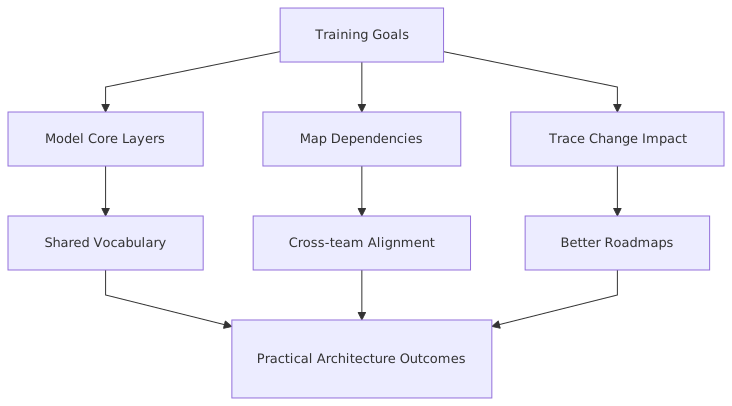
A practical training structure that actually works
Here’s the model I recommend for enterprise teams. Not theoretical. Practical.
If a program lacks the last two rows, it’s probably not enough.
How this applies in real architecture work
Let’s move from training theory to actual enterprise practice.
In real architecture, ArchiMate is useful when teams need to connect domains that are usually managed separately. ArchiMate relationship types
Take a bank.
The retail banking division wants to improve digital onboarding. Customers should be able to open accounts faster, with better fraud controls and less manual review. Sounds straightforward. It isn’t.
Underneath that requirement, you typically find:
- a customer identity platform
- workforce IAM for operations staff
- core banking systems
- CRM and case management
- fraud and KYC services
- mobile and web channels
- event streaming over Kafka
- cloud-hosted integration and analytics components
- legacy systems still running critical steps
- multiple projects changing the same landscape at once
Now ask a few practical questions:
- Which business capability is being improved?
- Which application services are involved?
- What events trigger downstream actions?
- Where are the trust boundaries?
- Which cloud services are in the critical path?
- What changes are already underway?
- Which dependencies create operational risk?
This is exactly where ArchiMate helps. ArchiMate modeling best practices
A trained team can create a small set of linked views:
- Capability and business process view for customer onboarding
- Application cooperation view showing channel, KYC, CRM, IAM, and core banking interactions
- Event flow view showing Kafka topics, producers, and consumers
- Technology and cloud view showing managed services, network zones, runtime platforms
- Implementation and migration view showing transition states and work packages
That isn’t academic. That is architecture work.
A real enterprise example: banking, Kafka, IAM, and cloud
Let me make this concrete.
A mid-sized bank — call it NorthRiver Bank — had a familiar problem. Retail onboarding existed across branch, web, and mobile. Customer identity was fragmented. Staff used a different IAM stack than customer channels. Integration between systems was a mess of synchronous APIs, batch jobs, and some growing Kafka usage. At the same time, the bank was moving selected digital services to cloud, while core banking remained on-prem.
Different teams had different diagrams:
- security had IAM flow charts
- integration had Kafka topology sketches
- cloud had landing zone diagrams
- enterprise architecture had application landscape maps
- business had process slides
None of these aligned.
Training the architecture team in ArchiMate was not the magic. The magic was using training to force a common way of describing the problem.
What the team modeled
First, they modeled the business capability: Customer Onboarding.
Then they linked it to:
- account opening process
- identity verification process
- fraud screening process
- customer communication process
Next, they modeled the application layer:
- Mobile Banking App
- Web Onboarding Portal
- Customer IAM Platform
- KYC Service
- Fraud Decision Engine
- CRM Platform
- Core Banking Adapter
- Kafka Event Platform
- Notification Service
Then they modeled key flows:
- customer submits onboarding request
- IAM authenticates and manages identity proofing state
- KYC and fraud systems evaluate
- onboarding decision event is published to Kafka
- downstream CRM and notification services consume events
- approved customer record is synchronized to core banking
Then they modeled technology and cloud dependencies:
- IAM platform partially hosted in cloud
- Kafka managed service in cloud for digital channels
- on-prem consumers via secure connectivity
- notification service serverless in cloud
- core banking adapter in data center
- secrets, certificates, and IAM trust relationships called out explicitly
Finally, they modeled migration:
- transition from legacy branch onboarding workflow
- phased shift from point-to-point integrations to event-driven patterns
- staged customer identity consolidation
- work packages aligned to quarterly delivery increments
What changed because of the modeling
This is the part people often skip. Architecture models are not valuable because they exist. They are valuable because they change decisions.
In this case, the team discovered three things.
First, the customer IAM platform was serving more business processes than anyone had realized. It wasn’t just an auth component. It was a critical dependency in onboarding state management. That changed resilience requirements and funding priority.
Second, Kafka had become a hidden operational dependency. Several teams were planning to consume onboarding events, but ownership of topic schemas, retention, replay policy, and access control was vague. The ArchiMate views exposed that ambiguity. Governance was tightened before production incidents forced the issue.
Third, the cloud migration roadmap was too optimistic. Some flows still depended on low-latency synchronous calls into on-prem systems. The architecture team used the models to show why “move it all to cloud” was not a strategy, just a slogan.
That is what good team training enables: not prettier diagrams, but better enterprise conversations.
Contrarian view: not everyone needs full ArchiMate depth
Here’s a position some purists won’t like: most architecture stakeholders do not need deep ArchiMate expertise.
Your whole team does not need to become notation specialists.
What they need is:
- enough understanding to read key views
- enough consistency to contribute correctly
- enough discipline to avoid inventing new semantics every week
Usually, a smaller core group needs deeper expertise:
- lead enterprise architects
- repository owners
- architecture governance leads
- selected domain architects
Everyone else can work with a constrained subset and clear guidance.
This is healthier than pretending every architect must master the full language equally. In most enterprises, that never happens anyway.
What to teach about Kafka in ArchiMate training
Kafka deserves its own section because teams often model it poorly.
A practical training module should teach architects to represent:
- event-producing applications
- event-consuming applications
- application services involved
- event flows
- platform services supporting messaging
- ownership boundaries
- security constraints
- implementation and migration implications
What it should not do is reduce Kafka to a magic black box in the middle of the picture.
In a banking context, for example:
- onboarding events may be produced by a digital onboarding service
- consumed by fraud analytics, CRM, notifications, and audit services
- governed through schemas and topic ownership
- protected by IAM-integrated access controls
- hosted on cloud-managed Kafka with hybrid connectivity
That architecture has business implications, operational implications, and security implications. The model should make those visible.
What to teach about IAM in ArchiMate training
IAM is another area where weak training shows immediately.
Architects need to know how to model:
- business actors and roles
- application services for authentication and authorization
- identity stores and directories where relevant
- trust relationships
- service-to-service identity patterns
- access to data objects and application functions
- dependencies across channels and platforms
In banking, IAM often spans:
- customer identity
- workforce identity
- privileged access
- API security
- federated partner access
If your team cannot show where IAM supports or constrains a business process, they are not ready to architect regulated digital platforms.
And yes, this means security architects should be in the room during training.
Cloud examples: where ArchiMate helps and where it doesn’t
Cloud architecture is full of diagrams already, so some teams ask whether ArchiMate adds much.
It does, but with limits.
It helps when you need to connect cloud services to enterprise context:
- which business capabilities rely on this cloud platform
- which applications are deployed where
- which technology services are shared
- which risks and dependencies matter
- which transformation initiatives are changing the platform
It does not replace detailed cloud design artifacts. You still need platform diagrams, deployment details, security patterns, and operational runbooks.
This is another common confusion. ArchiMate is not there to document every subnet, policy, or managed service configuration. It sits above that level, connecting cloud choices to enterprise architecture.
That distinction should be explicit in training.
How to know if your training worked
Not by exam scores.
I know certification matters in some organizations. Fine. But if you want to know whether the training actually worked, ask these questions after 60 to 90 days:
- Are architecture views more consistent across teams?
- Can business, security, and technology stakeholders understand them?
- Are models being used in review boards and investment discussions?
- Has duplication reduced?
- Are transformation dependencies more visible?
- Can the team explain Kafka, IAM, and cloud dependencies coherently?
- Are architects arguing less about notation and more about architecture decisions?
That last one matters more than people admit. ArchiMate in TOGAF ADM
A good training outcome is not “everyone uses ArchiMate perfectly.” A good outcome is “the team can reason across domains with less confusion.”
Practical advice for enterprise leaders sponsoring ArchiMate training
If you’re a head of architecture, CTO, chief architect, or transformation lead, here’s the blunt advice.
Do not buy generic training and assume capability appears.
Instead:
- define the enterprise problems the training should help solve
- include real internal scenarios
- train teams, not just individuals
- establish modeling standards immediately
- connect models to governance and delivery
- fund follow-up coaching
- measure usefulness, not just attendance
And one more thing: don’t force ArchiMate onto every conversation.
Some architects over-apply it. Whiteboards, quick sketches, and plain language still matter. Good architects switch tools depending on the moment. ArchiMate is one of those tools. A powerful one, yes. But still a tool.
Final thought
ArchiMate training is worth doing. Absolutely. But only if you treat it as a practical architecture capability, not a notation ceremony.
The real value is not in the symbols. It’s in giving teams a disciplined way to describe business capabilities, applications, events, identity, cloud platforms, risks, and change — all in one connected architecture story.
That matters in banks. It matters in cloud transformations. It matters in Kafka-heavy integration environments. It matters anywhere complexity is spread across teams and nobody sees the whole picture.
Train for that.
Not for prettier diagrams.
FAQ
1. How long does it take for a team to become effective with ArchiMate?
Usually 6 to 12 weeks after formal training, if they use it on real work immediately. Classroom learning alone is not enough. Teams need live modeling sessions, reviews, and coaching.
2. Should all architects get ArchiMate certified?
Not necessarily. Certification can help establish baseline knowledge, but not everyone needs the same depth. A core architecture group should go deeper; broader stakeholders often just need enough to read and contribute to key views.
3. Is ArchiMate useful for cloud-native and event-driven architectures?
Yes, very much so. It helps connect cloud services, event platforms like Kafka, IAM controls, and business capabilities. But it should complement, not replace, detailed platform and solution design artifacts.
4. What is the most common mistake after ArchiMate training?
Teams try to model everything at once. They create huge diagrams, mix abstraction levels, and lose stakeholder trust. Start with bounded use cases and decision-focused views.
5. Can ArchiMate help with security architecture, especially IAM?
Yes. In fact, it should. ArchiMate is very useful for showing how IAM supports business processes, application services, trust boundaries, and access patterns. If security is missing from your models, the architecture is incomplete.
Frequently Asked Questions
What is enterprise architecture?
Enterprise architecture is a discipline that aligns an organisation's strategy, business processes, information systems, and technology. Using frameworks like TOGAF and modeling languages like ArchiMate, it provides a structured view of how the enterprise operates and how it needs to change.
How does ArchiMate support enterprise architecture practice?
ArchiMate provides a standard modeling language that connects strategy, business operations, applications, data, and technology in one coherent model. It enables traceability from strategic goals through business capabilities and application services to the technology platforms that support them.
What tools are used for enterprise architecture modeling?
The main tools are Sparx Enterprise Architect (ArchiMate, UML, BPMN, SysML), Archi (free, ArchiMate-only), and BiZZdesign Enterprise Studio. Sparx EA is the most feature-rich option, supporting concurrent repositories, automation, scripting, and integration with delivery tools like Jira and Azure DevOps.