⏱ 19 min read
Most enterprise architecture diagrams are either too vague to be useful or so detailed they become a museum piece the day after they’re published.
That’s the problem.
And cloud-native architecture made it worse, not better. We now have teams drawing boxes for Kubernetes clusters, arrows for event streams, icons for managed services, and a giant blob called “security” somewhere in the corner. Everyone nods. Nobody can build from it. Or worse, everyone builds different things from the same diagram.
Here’s my opinion: UML is still one of the most underrated tools in enterprise architecture, especially for cloud-native systems. Not because UML is fashionable. It isn’t. Not because every developer loves it. They don’t. And definitely not because you should model everything with textbook purity. Please don’t. UML modeling best practices
UML matters because cloud-native systems are distributed, asynchronous, policy-heavy, and full of hidden coupling. If you don’t model those things with some discipline, your architecture becomes slideware. Pretty, expensive slideware.
So let’s say it simply up front for the SEO crowd and for the people skimming this between meetings:
Using UML for cloud-native architecture means using a small, practical subset of UML diagrams to describe services, interactions, responsibilities, deployment boundaries, security relationships, and event flows in modern cloud systems.
Done well, UML helps architects make architecture understandable, reviewable, and implementable across teams.
That’s the simple version.
The deeper truth is this: UML is not the architecture. It’s the language you use to expose architectural decisions. And in cloud-native environments — microservices, Kafka, IAM, APIs, containers, managed cloud services, zero trust — that language becomes useful again because complexity is no longer hiding in code alone. It’s in runtime behavior, permissions, contracts, and failure modes.
Why UML still matters in cloud-native architecture
A lot of architects abandoned UML because they associated it with heavyweight design methods, giant class diagrams, and governance teams policing notation instead of solving problems. Fair criticism. I’ve sat through those reviews too. UML for microservices
But rejecting UML entirely was the wrong reaction.
Cloud-native architecture needs a modeling approach that can answer questions like:
- What are the bounded responsibilities of each service?
- Which interactions are synchronous, and which are event-driven?
- Where does IAM actually sit in the trust chain?
- What happens when Kafka is unavailable or delayed?
- Which components are deployed where?
- What is logical architecture versus runtime topology?
- Which controls are enforced in the platform, and which are application responsibilities?
You can answer those questions with “custom architecture diagrams,” of course. People do it every day. But custom usually means inconsistent. And inconsistent diagrams create ambiguity. Ambiguity is expensive in enterprises.
UML gives just enough structure to force better thinking without forcing a rigid implementation view. That’s the sweet spot.
Not all UML. Just the useful parts.
The practical subset of UML that actually works
Here’s the contrarian point: if you are using 90% of UML in a cloud-native architecture effort, you are probably doing architecture theater.
In real enterprise work, I’ve found only a handful of UML diagram types consistently worth the effort:
That’s it. That’s the practical set.
You do not need to impress anyone with exhaustive object diagrams or giant inheritance trees for your Kubernetes-based banking platform. Nobody is giving awards for notation purity. The test is whether engineers, security teams, platform teams, and business stakeholders can make decisions from the model.
Start simple: what UML means for cloud-native systems
Cloud-native architecture is often described in infrastructure terms: containers, serverless, service mesh, managed databases, autoscaling, observability, CI/CD. All important. But that view is incomplete.
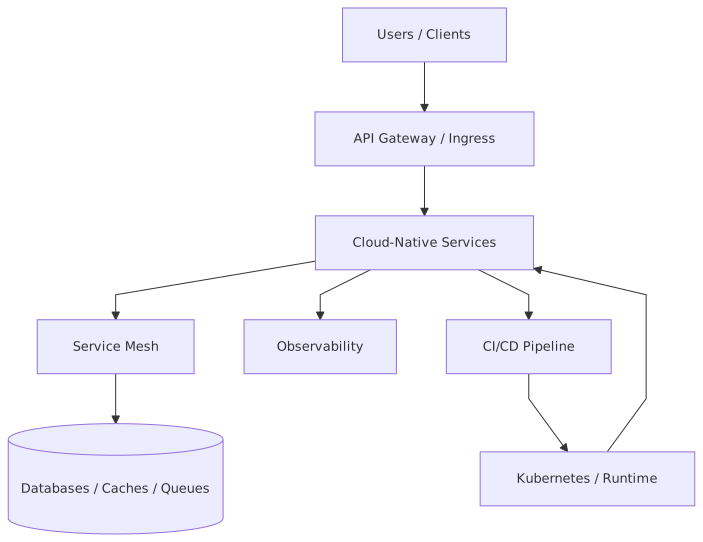
Cloud-native systems also have:
- fast-changing service boundaries
- distributed transactions or compensations
- asynchronous messaging
- token-based trust
- policy enforcement
- multi-environment deployments
- resilience and eventual consistency concerns
UML helps because each of these concerns maps naturally to a different viewpoint.
A component diagram can show your payment service, customer profile service, fraud service, IAM provider, Kafka topics, and core banking adapter.
A sequence diagram can show how a mobile banking request enters via API gateway, obtains or validates IAM tokens, invokes services, publishes an event to Kafka, triggers downstream risk checks, and returns a response while some work continues asynchronously.
A deployment diagram can show what runs in AWS, what remains on-prem, what is deployed to Kubernetes, what is a managed cloud service, and where the trust and network boundaries really are.
This matters because architecture work is mostly about managing viewpoints. Different stakeholders need different slices of truth. UML gives you structured slices.
UML is not for drawing everything
Let me be blunt: one of the worst habits in enterprise architecture is trying to create a single master diagram that explains everything.
It won’t.
Cloud-native systems have too many dimensions:
- business capabilities
- application responsibilities
- runtime interactions
- deployment topology
- data ownership
- identity and access flows
- event contracts
- resilience patterns
If you cram all of that into one diagram, you produce confusion with color coding.
A better approach is to create a small model set, where each diagram answers one architectural question well.
For example:
- Use case diagram
Who interacts with the system, and what business outcomes matter?
- Component diagram
What are the major services and integration dependencies?
- Sequence diagrams for critical scenarios
How do key transactions behave at runtime?
- Deployment diagram
Where do these things run in the cloud and enterprise network?
- State diagram for complex domain behavior
How does a payment, loan application, or customer identity record change over time?
That’s enough to make architecture operational, not decorative.
How this applies in real architecture work
This is where a lot of articles go soft. They stay in theory. Real architecture work is not theory. It’s trade-offs under pressure, with deadlines, politics, half-known requirements, and six teams that all use the word “platform” differently.
So let’s talk about how UML actually helps in practice.
1. During discovery and target-state definition
Early in a cloud modernization effort, the biggest challenge is usually not technology selection. It’s ambiguity. Teams don’t agree on boundaries, ownership, or flow.
A lightweight UML component diagram is excellent here. It forces useful questions:
- Is fraud scoring a separate service or embedded capability?
- Does customer identity live in IAM, in the CRM domain, or both?
- Is Kafka the integration backbone or just one channel among many?
- Which APIs are externally exposed, and which are internal only?
- Where does the core banking system remain authoritative?
At this stage, UML is not about precision. It’s about exposing architecture assumptions.
2. During security and IAM design
Cloud-native systems often fail not because compute is wrong, but because trust is hand-waved.
Architects love drawing “Auth Service” as a box. That’s lazy architecture.
A sequence diagram is much better for IAM. You can show:
- user authentication through enterprise identity provider
- token issuance and validation
- token propagation across API gateway and microservices
- service-to-service identity
- role or scope checks
- event consumer authorization for Kafka
- privileged access paths for operations teams
Once you draw this properly, security gaps become obvious. You discover things like:
- internal services trusting user tokens directly
- no distinction between user identity and workload identity
- Kafka producers over-privileged at topic level
- inconsistent authorization enforcement between APIs and event consumers
These are not abstract issues. They become audit findings, incidents, or delivery delays.
3. During solution review and governance
Good architecture governance is not a checklist. It’s a structured challenge process. ArchiMate for governance
When teams present a cloud-native solution, UML diagrams let reviewers ask sharper questions:
- Why is this synchronous call in the critical path?
- Why does this service consume six Kafka topics?
- Why does the notification service need direct access to customer PII?
- Why is IAM integrated differently here than in the enterprise standard?
- Why is this workload deployed in a public subnet at all?
Governance becomes more useful when diagrams expose decisions rather than hide them.
4. During implementation alignment
Architects often assume once the design is approved, the model has done its job. Wrong.
The best architecture models continue into delivery. They help solution teams align on:
- service contracts
- event choreography
- deployment boundaries
- operational responsibilities
- dependency risk
A sequence diagram showing asynchronous behavior can save weeks of misunderstanding between API teams and event teams. Especially in Kafka-heavy environments, this matters. People say “event-driven” and mean completely different things. Some mean fire-and-forget. Others mean guaranteed processing. Others mean eventual consistency with compensations. Draw the flow and the truth shows up.
A real enterprise example: digital payments modernization in banking
Let’s make this concrete.
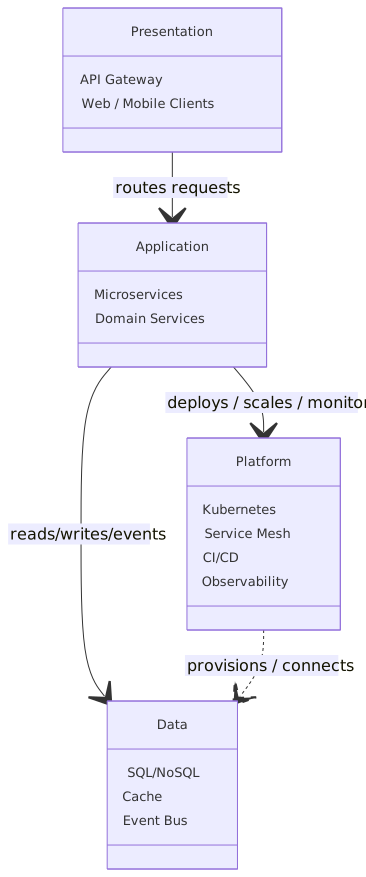
Imagine a large retail bank modernizing its digital payments platform. The legacy setup looks familiar:
- mobile and web channels call a monolithic payments application
- the monolith integrates directly with core banking
- fraud checks are partially embedded and partially batch-based
- identity relies on an enterprise IAM platform, but downstream systems still use old service credentials
- notifications are tightly coupled
- reporting is delayed and inconsistent
The target is a cloud-native architecture in AWS:
- customer-facing APIs behind an API gateway
- payment initiation service
- account validation service
- fraud decision service
- notification service
- payment orchestration service
- Kafka for event streaming
- managed database per service where appropriate
- enterprise IAM integrated with OAuth2/OIDC
- some core systems remain on-prem through secure integration
Now, if you skip modeling discipline, what happens? Teams produce generic cloud diagrams with AWS icons, a few microservice boxes, and Kafka in the middle like some magical nervous system. Everyone feels modern. Nobody has clarified the hard parts.
Using UML properly changes the conversation.
Step 1: Use case diagram
At the highest level, you show actors:
- retail customer
- fraud analyst
- customer support agent
- operations engineer
- external core banking platform
- enterprise IAM
And use cases:
- authenticate customer
- initiate payment
- validate beneficiary
- assess fraud risk
- post payment
- notify customer
- review suspicious payment
- replay failed event
- monitor processing health
This seems basic, but in banking it matters. It reveals that operations and fraud review are first-class architectural concerns, not afterthoughts.
Step 2: Component diagram
Then you model the logical components:
- Channel Apps
- API Gateway
- IAM Provider
- Payment API Service
- Payment Orchestrator
- Account Validation Service
- Fraud Service
- Kafka Event Bus
- Notification Service
- Payment Ledger/Store
- Core Banking Adapter
- Monitoring/Observability Platform
You also show interfaces:
- REST APIs between channels and gateway
- internal APIs between services where needed
- Kafka topics such as
payment.initiated,payment.validated,payment.flagged,payment.posted,payment.failed - IAM token validation interface
- core banking integration interface
Now the architecture team can discuss dependency direction and ownership. For example:
- Should the fraud service be synchronous in the initiation path?
- Does the notification service consume events or get direct calls?
- Is the orchestrator too central, becoming a new monolith?
- Should account validation publish an event or just return an API response?
These are architecture decisions, not notation exercises.
Step 3: Sequence diagram for payment initiation
This is where UML becomes powerful.
You model a normal payment scenario:
- Customer logs in through IAM.
- Channel obtains an access token.
- Channel calls Payment API via API Gateway.
- Gateway validates token and forwards request.
- Payment API performs basic request validation.
- Payment API calls Account Validation Service.
- Payment API publishes
payment.initiatedto Kafka. - Fraud Service consumes event and scores transaction.
- Payment Orchestrator consumes validated event and invokes Core Banking Adapter.
- Core Banking Adapter posts payment to core banking.
- Result event is published to Kafka.
- Notification Service consumes result and sends customer notification.
- Payment status is exposed back to channel via query API or callback pattern.
Now draw the exception paths:
- fraud score delayed
- Kafka publish failure
- core banking timeout
- duplicate event delivery
- token expired during long-running workflow
- support user manually replays an event
This is where real architecture shows up. Banking systems are not defined by the happy path. They are defined by exception management, idempotency, and auditability.
Step 4: Deployment diagram
Finally, map the logical model to deployment reality:
- API Gateway in AWS
- services running in EKS
- Kafka managed service or enterprise streaming platform
- IAM federation with enterprise identity
- secure connectivity to on-prem core banking
- secrets managed in cloud vault
- observability stack across cloud and on-prem
- separate VPCs or accounts for environments
- private endpoints for sensitive services
This forces the enterprise questions:
- what traffic crosses trust boundaries?
- where is encryption terminated?
- what is private versus public exposure?
- how are service identities managed?
- what must remain in-region for regulatory reasons?
Without this deployment view, cloud-native architecture often stays suspiciously theoretical.
Common mistakes architects make with UML in cloud-native systems
Let’s be honest. Architects are often the problem here.
Not because UML is hard, but because we use it badly.
Mistake 1: Modeling static structure and ignoring runtime behavior
This is the classic failure. Teams create a component diagram and stop there.
But cloud-native architecture is mostly about runtime behavior:
- retries
- asynchronous events
- token validation
- eventual consistency
- failure handling
- scaling effects
If you are not using sequence diagrams for critical flows, you are probably missing the actual architecture.
Mistake 2: Treating Kafka like a generic arrow
I see this constantly. A service box points to Kafka, another arrow comes out, and that’s apparently enough.
No. In enterprise systems, Kafka is not just a transport. It creates architectural implications:
- topic ownership
- schema evolution
- replay behavior
- ordering assumptions
- consumer group semantics
- authorization by topic
- retention and audit implications
Your model should name important topics and identify producer/consumer responsibilities. Otherwise “event-driven” just becomes a slogan.
Mistake 3: Hiding IAM complexity
Identity and access are often drawn as a side concern when in reality they are central to the architecture.
In cloud-native banking systems, IAM affects:
- customer authentication
- admin access
- service-to-service trust
- API authorization
- event access
- operational support boundaries
- audit controls
If your diagrams don’t show trust relationships and token flows, they are incomplete.
Mistake 4: Confusing logical and deployment views
Another common mess. Teams draw a component diagram full of AWS services and then claim they’ve shown the architecture.
Not exactly.
Logical architecture answers what the system is. Deployment architecture answers where and how it runs. Mixing them carelessly creates misunderstanding. A service boundary is not the same thing as a Kubernetes namespace. A domain capability is not the same thing as an AWS account. Keep the views related, but distinct.
Mistake 5: Over-modeling
This is the old-school UML trap. Architects spend weeks refining diagrams no delivery team will ever use.
A model should earn its existence.
If a diagram doesn’t help someone make a decision, review a risk, align a team, or explain a critical flow, delete it.
Mistake 6: Under-modeling the ugly parts
Many architecture diagrams are suspiciously clean. No exceptions, no retries, no support access, no dead-letter handling, no compensations, no governance process, no manual intervention. EA governance checklist
That’s fantasy architecture.
In real enterprises, especially banks, manual review, operational controls, and exception paths are part of the design. Model them.
UML and cloud architecture: where to be opinionated
Now let me offer a few strong opinions that some people will disagree with.
Opinion 1: C4 is useful, but not enough on its own
Yes, C4 is excellent for software architecture communication. I use it. Most architects should. But for cloud-native enterprise systems, C4 alone often under-represents dynamic behavior and trust flow complexity. UML sequence and deployment diagrams still add real value. This is not either/or.
Opinion 2: ArchiMate is often too abstract for delivery conversations
ArchiMate has a place in enterprise architecture, especially for capability mapping and strategy alignment. But when teams are building Kafka-based banking services in the cloud, they need something more operational. UML is usually closer to implementation reality without dropping into code-level detail.
Opinion 3: “Just use whiteboard sketches” does not scale in enterprises
Whiteboard sketches are great for discovery. I love them. But regulated enterprises need diagrams that survive the meeting and can be reviewed later by people who were not in the room. Some notation discipline matters. Otherwise architecture becomes oral tradition.
Opinion 4: A good sequence diagram is often more valuable than a fancy landscape diagram
Landscape diagrams make executives happy. Sequence diagrams make systems work.
If I had to choose one diagram to review before a critical release of a distributed banking workflow, I’d take the sequence diagram every time.
A practical modeling approach for architects
If you’re leading cloud-native architecture work in an enterprise, here’s a pragmatic way to use UML without drowning in it.
Phase 1: Frame the problem
Create:
- one use case diagram
- one high-level component diagram
Goal:
- align stakeholders on scope, actors, and major system responsibilities
Phase 2: Expose the critical flows
Create:
- 3 to 5 sequence diagrams for the most important business and operational scenarios
Include:
- happy path
- auth flow
- failure path
- support/recovery path
Goal:
- reveal coupling, latency, resilience, and IAM concerns
Phase 3: Connect to cloud reality
Create:
- one deployment diagram per meaningful environment pattern
Include:
- cloud services
- trust boundaries
- network zones
- on-prem integration points
- observability and secrets management
Goal:
- make the architecture implementable and reviewable by platform and security teams
Phase 4: Add state models where the domain needs them
Use state diagrams for:
- payment lifecycle
- account onboarding
- loan approval stages
- fraud investigation status
Goal:
- prevent business ambiguity from leaking into technical inconsistency
This is enough for most enterprise cloud-native programs.
What good UML looks like in a cloud-native bank
Good UML is:
- selective
- scenario-driven
- tied to decisions
- explicit about trust
- explicit about async behavior
- explicit about operational reality
Good UML is not:
- encyclopedic
- notation-obsessed
- generic
- disconnected from deployment
- frozen after approval
In a banking environment, I want to see diagrams that answer:
- who owns the payment event contract?
- how is customer identity propagated?
- where are authorization decisions enforced?
- what happens if Kafka consumers lag?
- how are duplicate payment events prevented?
- what remains dependent on core banking sync calls?
- what can operations support safely replay?
That’s architecture.
Final thought
UML for cloud-native architecture is not about reviving an old modeling religion. It’s about bringing discipline back to architectural communication in systems that are too distributed, too regulated, and too operationally complex for hand-wavy diagrams.
And yes, some architects overdo UML. Some teams hate it because they’ve seen it abused. Fair enough. But the answer is not abandoning modeling. The answer is using a practical subset of UML with intent.
If you’re designing cloud-native enterprise systems — especially in banking, with Kafka, IAM, hybrid integration, and compliance pressure — UML can still be one of your sharpest tools. architecture decision record template
Use fewer diagrams. Make them better. Model the flows that fail, not just the boxes that exist.
That’s usually where the real architecture is hiding.
FAQ
1. Is UML still relevant for microservices and cloud-native architecture?
Yes. Not all of UML, but a practical subset absolutely is. Component, sequence, deployment, and sometimes state diagrams are very effective for modeling microservices, event flows, IAM interactions, and cloud runtime boundaries.
2. Which UML diagrams are most useful for Kafka-based architectures?
Sequence diagrams and component diagrams. Component diagrams show producers, consumers, topics, and ownership boundaries. Sequence diagrams show event timing, async dependencies, retries, and failure handling. If event state matters, add a state diagram too.
3. How do architects use UML in real enterprise cloud projects?
Usually by creating a small set of diagrams for specific decisions: high-level service boundaries, IAM and security flows, core transaction scenarios, and deployment topology across cloud and on-prem systems. The best teams use UML in reviews, delivery alignment, and risk analysis — not just for documentation.
4. What are the biggest mistakes when using UML for cloud-native systems?
The big ones are over-modeling, ignoring runtime behavior, treating Kafka as a generic arrow, hiding IAM complexity, and mixing logical architecture with deployment architecture. Another common mistake is documenting only happy paths and skipping operational realities.
5. Should UML replace cloud provider architecture diagrams?
No. It should complement them. Cloud provider diagrams are useful for showing platform services and deployment choices. UML is stronger for showing behavior, dependencies, trust relationships, and business-relevant interaction flows. In enterprise architecture, you usually need both.
Frequently Asked Questions
How is ArchiMate used for cloud transformation?
ArchiMate models cloud transformation by comparing baseline and target architectures across all layers. Cloud platforms appear as Technology Services, workloads as Application Components assigned to Technology Nodes. The Implementation and Migration layer models transition plateaus, work packages, and migration events — producing a traceable cloud roadmap.
How does ArchiMate align with DevOps practices?
ArchiMate supports DevOps by modeling the CI/CD pipeline as Application Behavior elements, infrastructure as code as Technology Artifacts, and deployment topology as Technology Nodes. Traceability from requirements through design to deployed infrastructure helps DevOps teams understand architectural constraints and governance requirements.
What cloud architecture patterns can be modeled in ArchiMate?
ArchiMate can model cloud-native patterns including: multi-region active-active deployments, event-driven integration via messaging platforms, API-led integration architectures, zero-trust network topology, container orchestration (Kubernetes), and hybrid cloud connectivity. Each pattern maps to specific Technology and Application layer elements.