⏱ 19 min read
Most UML in enterprises is either decorative or abandoned.
That sounds harsh, but if you’ve spent time in architecture boards, delivery meetings, or post-incident reviews, you’ve seen it. A team creates a beautiful set of diagrams at the start of a program. Boxes line up. Arrows are neat. Colors imply confidence. Then six months later, the diagrams are wrong, the system is different, and nobody trusts the model enough to use it for decisions.
That is the real problem with UML in teams. Not that UML is “too formal.” Not that engineers “prefer code.” The problem is that teams often treat modeling as a documentation exercise instead of an architecture tool. UML modeling best practices
Used well, UML is still one of the best ways to think clearly about systems, boundaries, behavior, and responsibility. Used badly, it becomes enterprise wallpaper.
So here’s the opinion up front: UML should exist to improve architectural decisions, not to satisfy governance, impress stakeholders, or fill Confluence pages. If a diagram doesn’t help a team decide something important, it probably shouldn’t exist.
What UML modeling best practices actually mean
Let’s make this simple early.
UML modeling best practices for teams means:
- use only the diagram types that help your team make decisions
- model at the right level of abstraction
- keep diagrams tied to real architecture questions
- make ownership clear
- update models when architecture changes
- prefer clarity over completeness
- use UML consistently, but don’t become religious about notation
That’s it.
In real enterprise architecture work, UML is useful when teams need to answer questions like: UML for microservices
- Where does customer identity get validated?
- Which service owns the account ledger?
- What happens when Kafka delivery is delayed?
- How does IAM propagate roles across cloud services?
- Which components are synchronous, and which are event-driven?
- What are the trust boundaries?
- Where can failure occur, and who recovers?
If your UML helps answer those questions, good. If it just says “Service A talks to Service B,” you probably drew an expensive obvious thing.
The first rule: model decisions, not systems
This is probably the most important practice, and teams ignore it constantly.
Architects often say they are “modeling the system.” That sounds sensible, but it leads to bloated diagrams trying to capture everything: deployment, runtime behavior, class relationships, user interactions, integrations, environments, security zones. The result is predictable: unreadable diagrams and nobody wants to maintain them.
A better approach is this:
Model the decision you’re trying to make.
Examples:
- If you’re deciding whether a banking payments platform should use Kafka for transaction events, create a sequence or communication view showing event flow, failure points, retries, and idempotency concerns.
- If you’re deciding how IAM works across cloud-native services, create a component or deployment view showing identity provider, token issuance, trust boundaries, and policy enforcement points.
- If you’re deciding whether to split a monolith into domains, model domain responsibilities and dependencies, not every class and endpoint.
This sounds obvious. It is not commonly practiced.
Teams love “master diagrams.” Master diagrams are usually a mistake. The more a single diagram tries to do, the less useful it becomes.
UML is not the architecture. It is evidence of architecture thinking
Another strong opinion: a diagram is not architecture.
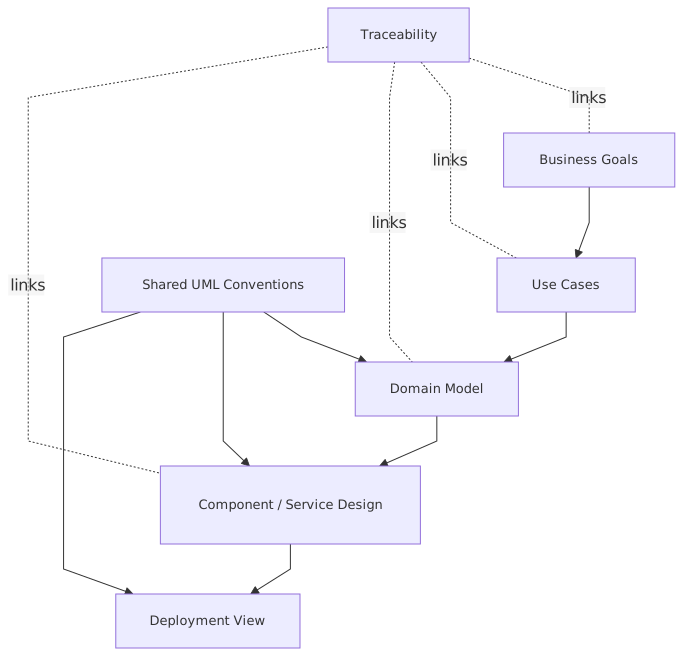
I’ve seen organizations confuse drawing with designing. Someone creates a component diagram in a tool with official icons, and suddenly the room acts like the architecture is settled. It isn’t. A diagram is only a snapshot of a design assumption.
Good architects use UML to expose ambiguity. Weak architects use UML to hide it.
That distinction matters in enterprise work because ambiguity is expensive. In banking, ambiguity around transaction ownership becomes reconciliation pain. In IAM, ambiguity around authorization flow becomes a security incident waiting to happen. In cloud migration, ambiguity around service boundaries becomes an endless stream of integration defects. cloud architecture guide
Your UML should force uncomfortable questions:
- Who owns this data?
- Where is authorization enforced?
- What if Kafka is unavailable?
- Is this service actually independent, or just separately deployed?
- Why does this component need direct database access?
- Why does every flow return to the legacy core?
If a model doesn’t trigger those conversations, it may look polished, but it’s not doing architecture work.
The diagram types teams actually need
Here’s the contrarian part. Most teams do not need all of UML. They need a disciplined subset.
I’d go further: for most enterprise teams, 4–5 diagram types are enough.
If I had to choose only three for most enterprise architecture teams, I’d pick:
- Component diagrams
- Sequence diagrams
- Deployment diagrams
That combination gets you surprisingly far.
Component diagrams show responsibility.
Sequence diagrams show behavior.
Deployment diagrams show runtime reality.
That’s most of architecture.
Start abstract, then get specific
One of the classic modeling mistakes is starting too low.
Teams jump straight into sequence diagrams with 18 lifelines before they’ve agreed what the actual components are. Or they produce class diagrams before they’ve settled service boundaries. That’s backwards.
A better progression is:
- Context and scope
- Component boundaries
- Critical interaction flows
- Deployment and trust boundaries
- Specialized detail only where needed
This mirrors how architecture decisions mature.
In practice:
- Start with what’s in and out.
- Define the major building blocks.
- Show how they collaborate in a few important scenarios.
- Show where they run and what they trust.
- Add state, class, or workflow models only if complexity demands it.
This is how teams avoid drowning in notation.
The right level of abstraction is everything
Most bad UML is not wrong. It’s at the wrong level.
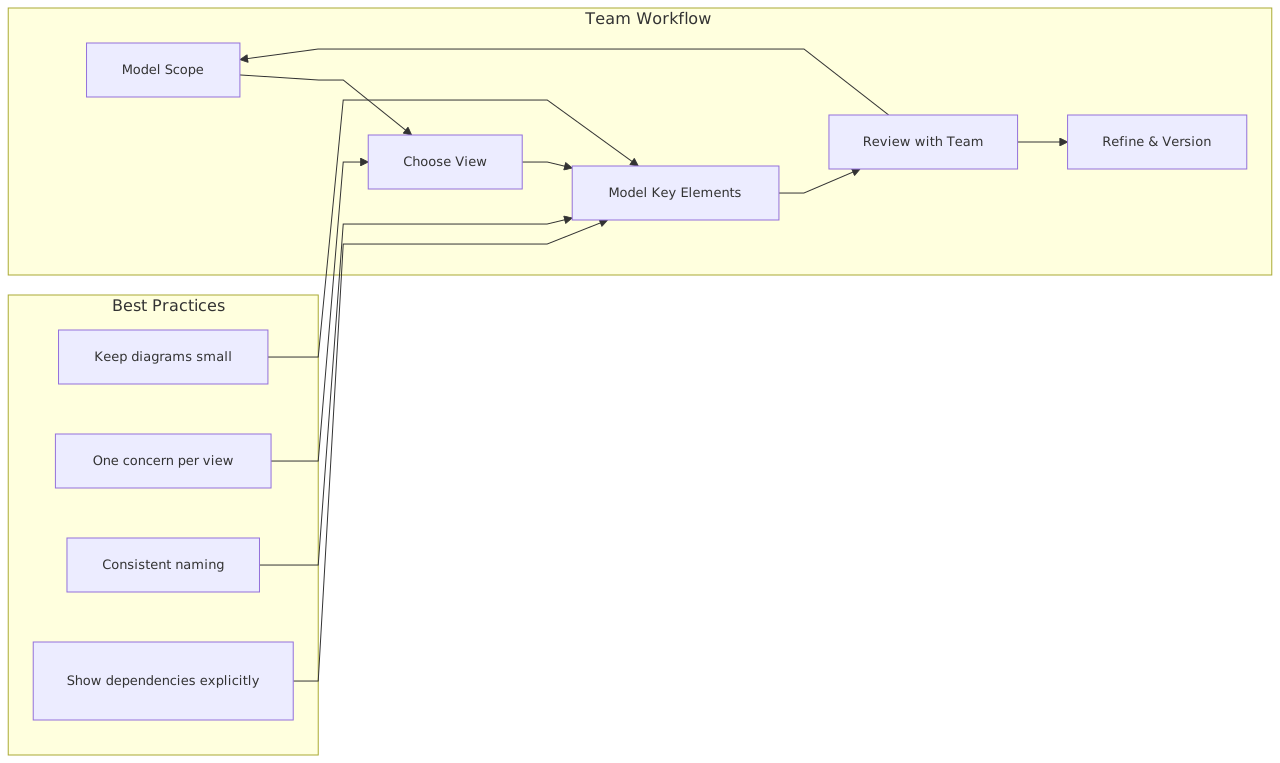
That’s why it fails.
A component diagram for an enterprise banking platform should not show every utility service, internal library, and monitoring sidecar unless the decision depends on them. Likewise, a deployment diagram for a cloud migration should not just show “AWS Cloud” as one box. That is too high-level to be useful. cloud architecture patterns
Architects need to ask, for each diagram:
- Who is this for?
- What decision does it support?
- What level of detail does that decision require?
For example:
Too abstract
“Payments Service sends events to Kafka.”
Fine, but not enough. Which topic? What event contract? Is it command, event, or notification? Who retries? What guarantees matter?
Too detailed
“Payments Service consists of PaymentController, ValidationHelper, TopicPublisherAdapter, and 24 classes…”
Now you’ve left architecture and entered implementation trivia.
About right
“Payments Service publishes PaymentInitiated and PaymentSettled events to Kafka. Fraud, Notification, and Ledger consumers subscribe independently. Delivery is at-least-once, so consumers must be idempotent. Ledger remains system of record.”
That’s useful architecture detail. It informs design without pretending to be code.
Use UML to make boundaries explicit
In enterprises, architecture failure is usually a boundary failure.
Not always a technology failure. Not even a logic failure. A boundary failure.
Examples:
- IAM is centralized, but authorization rules are scattered in downstream services.
- Kafka is introduced, but teams still depend on hidden synchronous coupling.
- Cloud services are deployed independently, but all share one database schema.
- A banking onboarding journey looks modular in slides, but one legacy customer master controls everything.
UML is excellent for boundary thinking if you use it deliberately.
A solid component diagram should make these things visible:
- business capability ownership
- data ownership
- trust boundaries
- integration style
- external dependencies
- points of policy enforcement
- systems of record
And yes, label them. Don’t assume people will infer meaning from lines and arrows.
One of my recurring complaints with enterprise diagrams is that they are too polite. They avoid stating hard truths. They show components but not ownership conflicts. They show integrations but not control points. They show cloud services but not the one legacy dependency that dictates the whole architecture.
A good architect puts the awkward truth in the model.
Real example: digital banking platform with Kafka, IAM, and cloud
Let’s make this concrete.
Imagine a bank modernizing its retail platform. It wants to support digital account opening, real-time payment notifications, and better fraud controls. The target architecture uses cloud-native services, Kafka as an event backbone, and centralized IAM with federated identity.
Sounds familiar because half the market is doing some version of this.
The main domains are:
- Customer Profile
- Account Opening
- Payments
- Fraud
- Notification
- Ledger
- IAM / Identity Federation
- API Gateway / Channel Layer
The bank has mobile and web channels. Customers authenticate through an IAM platform integrated with the bank’s identity provider and external MFA service. Application services run in Kubernetes on cloud infrastructure. Kafka handles domain events. The ledger remains a tightly controlled core banking system.
Now, where does UML help?
1. Component diagram for ownership and dependencies
At this stage, the team should model:
- channel layer
- IAM
- account opening service
- payments service
- fraud service
- notification service
- customer profile service
- ledger adapter
- Kafka topics or event backbone
- external core banking dependencies
This diagram should answer:
- Which service owns customer profile data?
- Which service is allowed to write to the ledger?
- Which interactions are synchronous versus event-driven?
- Where is authentication handled?
- Where is authorization enforced?
A common mistake here is drawing Kafka as a magic cloud in the center and assuming decoupling has been achieved. It hasn’t. If every consumer depends on exact producer timing, schema quirks, or ordering assumptions, you still have tight coupling. You just moved it.
2. Sequence diagram for account opening
Now model the runtime flow:
- Customer authenticates via IAM.
- Channel receives access token.
- Channel calls Account Opening API.
- Account Opening validates identity claims and KYC status.
- Customer Profile is checked or created.
- Account Opening requests ledger account creation via adapter.
- On success, it publishes
AccountOpenedto Kafka. - Notification consumes event and sends email/SMS.
- Fraud consumes event for monitoring.
- Analytics consumes event asynchronously.
This sequence diagram is where architecture gets real.
Questions emerge quickly:
- What happens if ledger creation succeeds but event publication fails?
- Is there an outbox pattern?
- Does Notification rely only on Kafka, or can the channel call it directly?
- Are IAM claims enough for authorization, or does Account Opening need policy lookup?
- What is the source of truth for customer identity attributes?
These are real architecture questions. This is why sequence diagrams matter.
3. Deployment diagram for cloud and trust boundaries
Now show runtime placement:
- API gateway in DMZ or managed ingress
- IAM integration points
- Kubernetes cluster or clusters
- Kafka managed service or self-managed brokers
- network segmentation
- secrets management
- private connectivity to core banking
- observability stack
- cloud IAM roles and service identities
This diagram should show:
- internet-facing versus internal services
- token validation points
- where encryption terminates
- east-west communication paths
- private link to ledger/core systems
- where policy and secrets are enforced
In security and cloud reviews, deployment diagrams are often more valuable than component diagrams because they reveal what actually runs where, with what trust assumptions.
And trust assumptions are where many enterprise architectures quietly break.
Common mistakes architects make with UML
Let’s be honest. Architects are often the problem.
Not because UML is hard, but because architects overcomplicate, under-maintain, or misuse it. Here are the recurring mistakes.
1. Creating diagrams nobody uses
This is the biggest one.
A diagram should have an active purpose: decision support, onboarding, security review, delivery alignment, incident analysis. If a diagram has no regular use, it will decay.
2. Modeling too much too early
Teams often model every scenario before one key decision is settled. This wastes time and makes diagrams fragile.
3. Confusing logical and physical views
A component diagram is not a deployment diagram. Yet many teams blend service responsibilities, clusters, network zones, and products into one unreadable page.
Separate concerns.
4. Hiding uncertainty
Bad diagrams imply certainty where none exists. Good diagrams mark assumptions, open issues, and unresolved boundaries.
5. Using generic labels
“System,” “Service Layer,” “Integration Component,” “Data Platform.” These names mean almost nothing. If a box has a vague name, chances are the architecture is vague too.
6. Ignoring security in the model
Many UML diagrams are functionally focused and act as if security happens elsewhere. In enterprise work, especially banking and IAM-heavy environments, that is irresponsible.
Show:
- trust boundaries
- authentication points
- token flows
- authorization decisions
- privileged integrations
7. Treating Kafka as architecture glue for everything
This one deserves emphasis.
Kafka is powerful, but it is not a substitute for domain thinking. Teams often push every interaction into Kafka because “event-driven” sounds modern. Then they discover they’ve made debugging harder, consistency fuzzier, and ownership less clear.
Use UML to show where events are appropriate and where synchronous APIs are still the right choice.
8. Letting notation dominate the conversation
Yes, UML notation matters. No, it is not the main point.
I’d rather have a slightly imperfect sequence diagram that reveals a dangerous coupling than a notation-perfect diagram that says nothing useful.
That said, teams should be consistent enough that everyone reads the diagrams the same way.
Team practices that actually work
UML best practices are less about drawing technique and more about team behavior.
Here’s what works in real architecture teams.
Keep a small diagram set per domain
For each major domain or platform area, maintain:
- one component view
- two or three critical sequence views
- one deployment or runtime view
That’s usually enough.
Make one person accountable, but not sole author
A lead architect or domain architect should own the model quality. But diagrams should be created and reviewed with engineers, security, platform, and product people. Architecture done alone usually becomes fantasy.
Update diagrams as part of change
If a story, epic, or ADR changes service boundaries or runtime behavior, update the relevant diagram in the same change cycle. Not “later.”
Tie diagrams to architecture decisions
Every important diagram should relate to an ADR, design review, risk, or implementation milestone. That gives the model purpose.
Model failure paths, not just happy paths
Especially in Kafka-based and distributed systems, the happy path is the least interesting part. Show retries, dead-letter handling, timeout behavior, token expiry, fallback mechanisms.
Use annotations generously
A short note like “Ledger is system of record” or “Authorization decision delegated to IAM policy service” can save 20 minutes of confusion.
Keep diagrams reviewable in meetings
If a diagram cannot be understood in a 10-minute architecture review, it’s probably too dense.
UML and IAM: where teams get sloppy
IAM architecture is one of the places where UML can do real work, and teams still model it badly.
Typical vague diagram:
- User
- App
- IAM
- Backend
That tells us almost nothing.
A useful IAM model should show:
- identity provider and federation relationships
- authentication flow
- token types
- trust boundaries
- where token validation occurs
- where authorization decisions occur
- service-to-service identity
- privileged admin paths
- external MFA or risk engines if involved
In cloud-native systems, this matters even more because there are usually two IAM worlds operating at once:
- User identity and access
- Workload or machine identity
Many diagrams show only the first and ignore the second. That’s a serious architecture omission.
For example, in a banking platform:
- customers authenticate through OIDC with MFA
- channels receive JWT access tokens
- API gateway validates issuer and audience
- backend services use mTLS or workload identity
- sensitive actions require policy checks against entitlements
- cloud resources are accessed via service roles, not shared credentials
That should be visible in the architecture model. If it isn’t, your security review is running on guesswork.
UML and Kafka: model the event semantics, not just the broker
Teams love drawing Kafka in the middle of a diagram because it makes the architecture look modern.
But most Kafka diagrams are weak because they stop at connectivity.
Real architecture modeling should show:
- event producers and consumers
- topic ownership
- event meaning
- delivery guarantees
- ordering assumptions
- replay behavior
- schema evolution rules
- dead-letter or poison message handling
- idempotency responsibilities
A sequence diagram can be especially powerful here.
For example, a payment flow in banking:
- Payment Service validates request.
- Payment Service writes transaction and outbox record.
- Outbox publisher sends
PaymentInitiatedto Kafka. - Fraud evaluates event.
- Ledger consumes and posts accounting entry.
- Notification sends customer confirmation.
- If Ledger rejects,
PaymentRejectedis emitted. - Channel updates status.
That model surfaces crucial architecture concerns:
- Is the ledger authoritative?
- Can notifications fire before settlement?
- Are fraud checks pre- or post-posting?
- What happens on duplicate events?
- Which event represents business truth?
This is not diagramming for aesthetics. This is system design.
UML in cloud architecture: stop pretending runtime doesn’t matter
A lot of enterprise UML remains too logical, as if systems float in a clean abstract space.
But in cloud architecture, runtime placement matters a lot:
- latency
- trust boundaries
- egress paths
- managed services
- failover zones
- secret handling
- service identity
- resilience patterns
So yes, deployment diagrams still matter. Maybe more than people admit. TOGAF roadmap template
For a cloud-based banking platform, a useful deployment diagram might show:
- multi-AZ Kubernetes clusters
- managed Kafka service
- API gateway
- WAF/ingress
- IAM integration endpoints
- private subnets
- core banking connectivity via private link
- observability agents
- vault or secrets manager
- regional DR topology
This is where architecture intersects with platform engineering, security, and operations. If your UML ignores deployment reality, your architecture may be elegant but operationally wrong.
Don’t chase notation purity
Here’s a mildly unpopular view: strict UML purity is overrated in team settings.
Yes, standards help. Yes, notation discipline matters. But the goal is shared understanding. If adding a simple annotation, color cue, or cloud icon makes the model clearer, do it. Just be consistent and don’t turn the diagram into a legend-heavy art project.
Purists sometimes act like any deviation from UML orthodoxy is architectural decline. It isn’t. The bigger risk in most enterprises is not notation drift. It’s useless diagrams.
I’d choose “clear and slightly hybrid” over “perfect and ignored” every time.
A practical modeling workflow for teams
If I were setting a UML modeling practice for an enterprise architecture team today, I’d use something like this:
Step 1: Define the question
What are we trying to decide or clarify?
Step 2: Choose the minimum useful diagram
Usually component, sequence, or deployment.
Step 3: Model collaboratively
Architect plus lead engineer plus security/platform if relevant.
Step 4: Annotate assumptions and risks
Don’t hide uncertainty.
Step 5: Review with stakeholders
Use the model to challenge the design.
Step 6: Link to decision record
Architecture model and architecture decision should reinforce each other.
Step 7: Maintain only what matters
Archive or delete diagrams that no longer support decisions.
That last step is important. Teams hoard stale diagrams because deleting them feels risky. But a wrong diagram is worse than no diagram.
What good UML looks like in real architecture work
In practice, good UML in enterprise teams has these qualities:
- small number of diagrams
- each diagram has a clear purpose
- boundaries and ownership are explicit
- critical flows are modeled, including failures
- security is visible
- runtime reality is represented
- diagrams are updated when architecture changes
- engineers trust them enough to use them
That trust is the real test.
If delivery teams don’t look at the diagrams during implementation, if security can’t use them during review, if platform teams can’t validate deployment assumptions from them, then the modeling practice is failing no matter how polished it looks.
Final thought
UML is neither dead nor sacred.
It’s just a tool. A very good one, still, when used by teams that care about architectural clarity. The trick is to stop treating UML as a ceremonial artifact and start using it as a thinking instrument.
Model less. Model better. Model the decisions. Show the uncomfortable boundaries. Put security and runtime reality on the page. And for the love of architecture, don’t produce 40 diagrams when 4 sharp ones will do more work.
That’s the best practice most teams actually need.
FAQ
1. Is UML still relevant for modern cloud-native architecture?
Yes. Absolutely. Cloud-native systems are distributed, security-sensitive, and full of runtime complexity. That makes modeling more useful, not less. Just don’t use UML as static documentation theater. Use it to clarify boundaries, interactions, and deployment assumptions.
2. Which UML diagrams should an enterprise team start with?
Start with three:
- component diagrams
- sequence diagrams
- deployment diagrams
That gives you structure, behavior, and runtime reality. Add state or class diagrams only when the domain complexity truly needs them.
3. How detailed should UML diagrams be for architecture teams?
Detailed enough to support a decision, not detailed enough to mirror the codebase. Show ownership, trust boundaries, key interactions, failure paths, and deployment constraints. Leave implementation internals out unless they materially affect the architecture.
4. What’s the biggest mistake teams make with UML?
Creating diagrams with no operational purpose. If a diagram doesn’t help with design reviews, implementation alignment, onboarding, risk analysis, or incident understanding, it will become stale almost immediately.
5. How do UML diagrams help with Kafka and IAM architecture?
For Kafka, UML helps model event flow, topic ownership, delivery semantics, retries, and consumer responsibilities. For IAM, it helps show authentication, authorization, trust boundaries, token flows, and workload identity. In both cases, the value is not the picture itself. The value is exposing assumptions before they become production problems.
Frequently Asked Questions
What is enterprise architecture?
Enterprise architecture is a discipline that aligns an organisation's strategy, business processes, information systems, and technology. Using frameworks like TOGAF and modeling languages like ArchiMate, it provides a structured view of how the enterprise operates and how it needs to change.
How does ArchiMate support enterprise architecture practice?
ArchiMate provides a standard modeling language that connects strategy, business operations, applications, data, and technology in one coherent model. It enables traceability from strategic goals through business capabilities and application services to the technology platforms that support them.
What tools are used for enterprise architecture modeling?
The main tools are Sparx Enterprise Architect (ArchiMate, UML, BPMN, SysML), Archi (free, ArchiMate-only), and BiZZdesign Enterprise Studio. Sparx EA is the most feature-rich option, supporting concurrent repositories, automation, scripting, and integration with delivery tools like Jira and Azure DevOps.