Introduction: From PDF to Practice
ISO 27001 is the global standard for information security management. It defines best practices to protect information assets, manage risk, and prove compliance. But in most organizations, it remains stuck in spreadsheets, policies, or static audits — disconnected from the living architecture of the business. architecture decision records
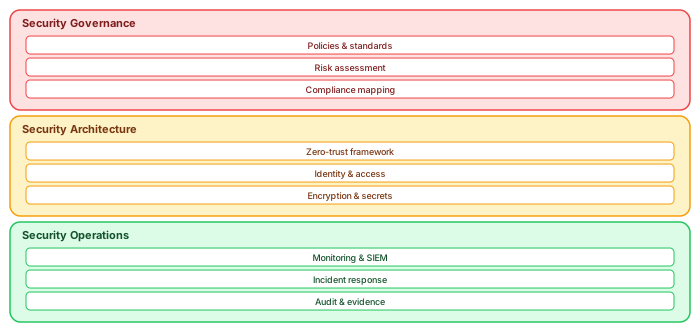
Using Sparx Enterprise Architect (EA) , we can bring ISO 27001 to life as a structured, traceable, and governable model — integrated directly into the digital fabric of systems, processes, and risks.
Why Model ISO 27001 in Sparx EA?
- 📘 Transform static controls into reusable architecture elements
- 🔍 Enable traceability from control to system, risk, and process
- 📊 Visualize coverage and compliance gaps
- 🧩 Integrate with enterprise architecture and digital transformation programs
Step 1: Structuring ISO 27001 in Sparx
We model Annex A controls using a consistent structure:
- Package: ISO 27001 Controls
- Sub-packages: Organizational, People, Physical, Technological
- Elements: One «ISOControl» element per Annex A control (e.g., A.9.2.1 - User registration and de-registration)
Each Control Contains:
-
Name: Control title -
Alias: Annex ID (e.g., A.9.2.1) -
Tagged Values:- ControlType (Preventive, Detective, Corrective)
- Owner (Business, IT, Security)
- Applicability (Mandatory, Risk-Based, Not Applicable)
- Status (Planned, Implemented, Verified)
- Notes: Full text from ISO and internal interpretation
Step 2: Linking Controls to Architecture
Controls only matter if they’re applied. We create traceability links from each control to:
- «ApplicationComponent» – e.g., Identity Management System supports A.9.2.1
- «BusinessProcess» – e.g., User onboarding workflow must implement A.9.2.1
- «Risk» – e.g., Inadequate Access Controls mitigated by A.9.2.1
- «Policy» or «Document» – e.g., SOP User Access Management references A.9.2.1
This lets us conduct forward and backward traceability: Where is a control implemented? Which controls cover a specific system or process?
Step 3: Visualize Implementation
Relationship Matrix:
We use the matrix to show:
- Rows = Controls (grouped by ISO theme)
- Columns = Applications / Processes / Risks
- Cells = Trace links (with tooltips and click-through)
Dashboards in Prolaborate:
- Pie chart: ISO controls by status
- Heatmap: Risk level vs. control coverage
- Checklist: Control-by-control implementation tracking
Step 4: Control Lifecycle and Governance
Each control goes through a lifecycle:
- Planned – Identified in risk treatment plan
- In Implementation – Associated change/project exists
- Implemented – Deployed and configured
- Verified – Audited or tested
We use tagged values and scripts to enforce this status and allow audit trail reporting.
Client Case Study: ISO 27001 in a Cloud Banking Environment
We worked with a digital bank that needed ISO 27001 for regulator licensing. Challenges included:
- Multiple cloud-native components without centralized control registry
- Security embedded in DevOps pipelines, not isolated systems
Our approach:
- Modeled ISO 27001 Annex A in Sparx EA
- Linked controls to Kubernetes clusters, cloud IAM services, audit logs
- Created traceability to DevSecOps workflows (CI/CD, vaults, policies)
- Used Prolaborate for stakeholder dashboards and internal audit
Outcome: ISO control coverage became a queryable model — supporting internal validation, risk scoring, and automated reporting for licensing authorities.
Benefits Realized
- ✅ Living control repository with lifecycle tracking
- ✅ Clear ownership and status for each control
- ✅ Integration into solution architecture workflows
- ✅ Faster readiness for ISO 27001 certification
Conclusion: Your ISO 27001 Repository Is a Model
Standards aren’t just text — they are architecture. With Sparx EA, ISO 27001 controls become part of your enterprise model: connected to systems, validated in workflows, and visualized in dashboards. Sparx EA training
Architecture doesn’t just design solutions — it governs risk. And when it models ISO 27001, it becomes the backbone of compliance and resilience. ArchiMate modeling standards
If you’d like hands-on training tailored to your team — Sparx Enterprise Architect, BPMN, SysML or the Archi tool — or modelling coaching in ArchiMate and TOGAF-aligned governance, you can reach us via our contact page.
Getting more from your Sparx EA investment
Most organizations use less than 20% of Sparx Enterprise Architect's capabilities. Three underutilized features deliver disproportionate value when activated: model validation, document generation, and the automation API. Sparx EA best practices
Model validation checks every element and relationship against metamodel rules, catching errors that human reviewers miss. Enable ArchiMate validation under Specialize → Technologies to prevent invalid relationships (for example, a Composition between elements in different layers). Add custom validation scripts that enforce your organization's naming conventions, required tagged values, and maximum elements per diagram.
Document generation produces Word or PDF reports directly from the model. Configure templates that pull element properties, tagged values, relationships, and diagrams into formatted documents. When the model changes, regenerate the document — it is always synchronized. This eliminates the manual document maintenance that typically consumes 30-40% of architect time.
The automation API (JavaScript, VBScript, or .NET) enables bulk operations that would take hours manually: updating tagged values across hundreds of elements, generating traceability matrices, exporting element catalogs to Excel, or validating naming conventions. A single validation script that runs nightly catches more errors than a monthly manual review.
Frequently Asked Questions
What is Sparx Enterprise Architect used for?
Sparx Enterprise Architect (Sparx EA) is a comprehensive UML, ArchiMate, BPMN, and SysML modeling tool used for enterprise architecture, software design, requirements management, and system modeling. It supports the full architecture lifecycle from strategy through implementation.
How does Sparx EA support ArchiMate modeling?
Sparx EA natively supports ArchiMate 3.x notation through built-in MDG Technology. Architects can model all three ArchiMate layers, create viewpoints, add tagged values, trace relationships across elements, and publish HTML reports — making it one of the most popular tools for enterprise ArchiMate modeling.
What are the benefits of a centralised Sparx EA repository?
A centralised SQL Server or PostgreSQL repository enables concurrent multi-user access, package-level security, version baselines, and governance controls. It transforms Sparx EA from an individual diagramming tool into an organisation-wide architecture knowledge base.