Architecture Publisher
Your Sparx EA repository, published as a branded, searchable portal that anyone can open.
Architecture teams spend months building a repository that only the architecture team can open. The people who most need it — delivery leads, risk, audit, procurement, the supplier who has to integrate with you — do not have a modelling licence, and would not want one.
So the model gets exported by hand into slide decks and Word documents, which are out of date the week after they are written, and the repository quietly stops being the source of truth.
Architecture Publisher reads the repository and generates the readable form of it: a complete static portal, branded as yours, regenerated on a schedule so it never drifts from the baseline it claims to describe.
How it works
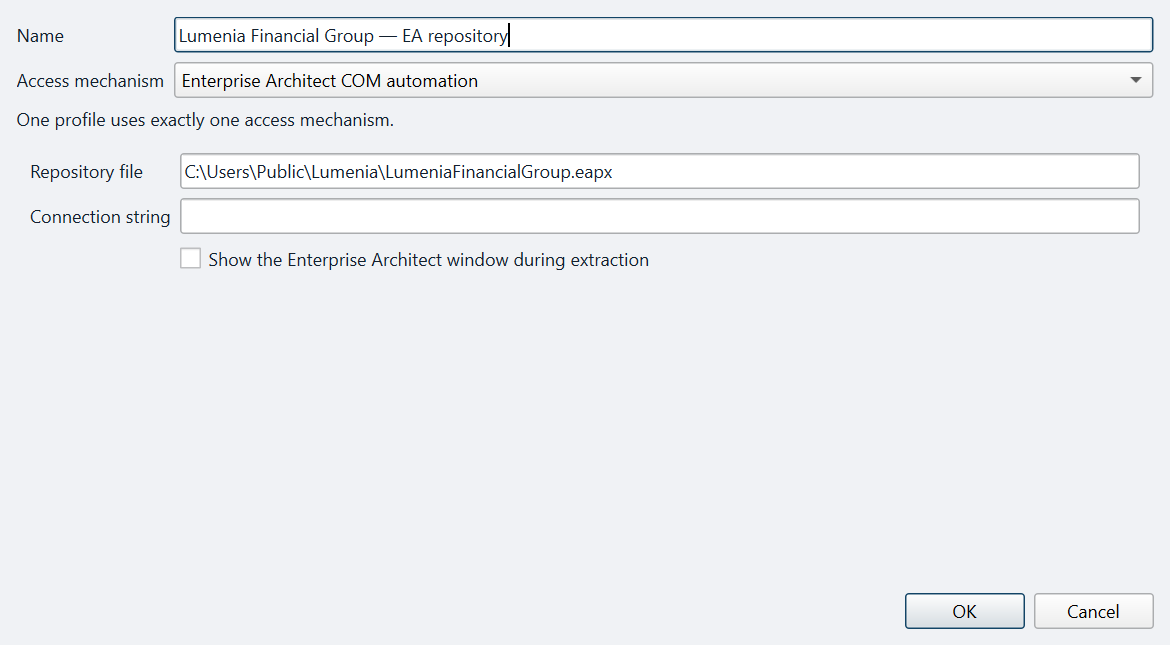
Point it at the repository
A .eapx or .qea file, or a Pro Cloud Server connection. Read-only — it never writes to your model.
Choose scope and brand
Perspectives, diagrams, notes and tagged values in or out; one brand colour, a logo, a presentation pack and a language.
Publish, on a schedule
Generate and deploy to a folder, a share or a web target — manually, or unattended every night or every Monday morning.
Setting it up
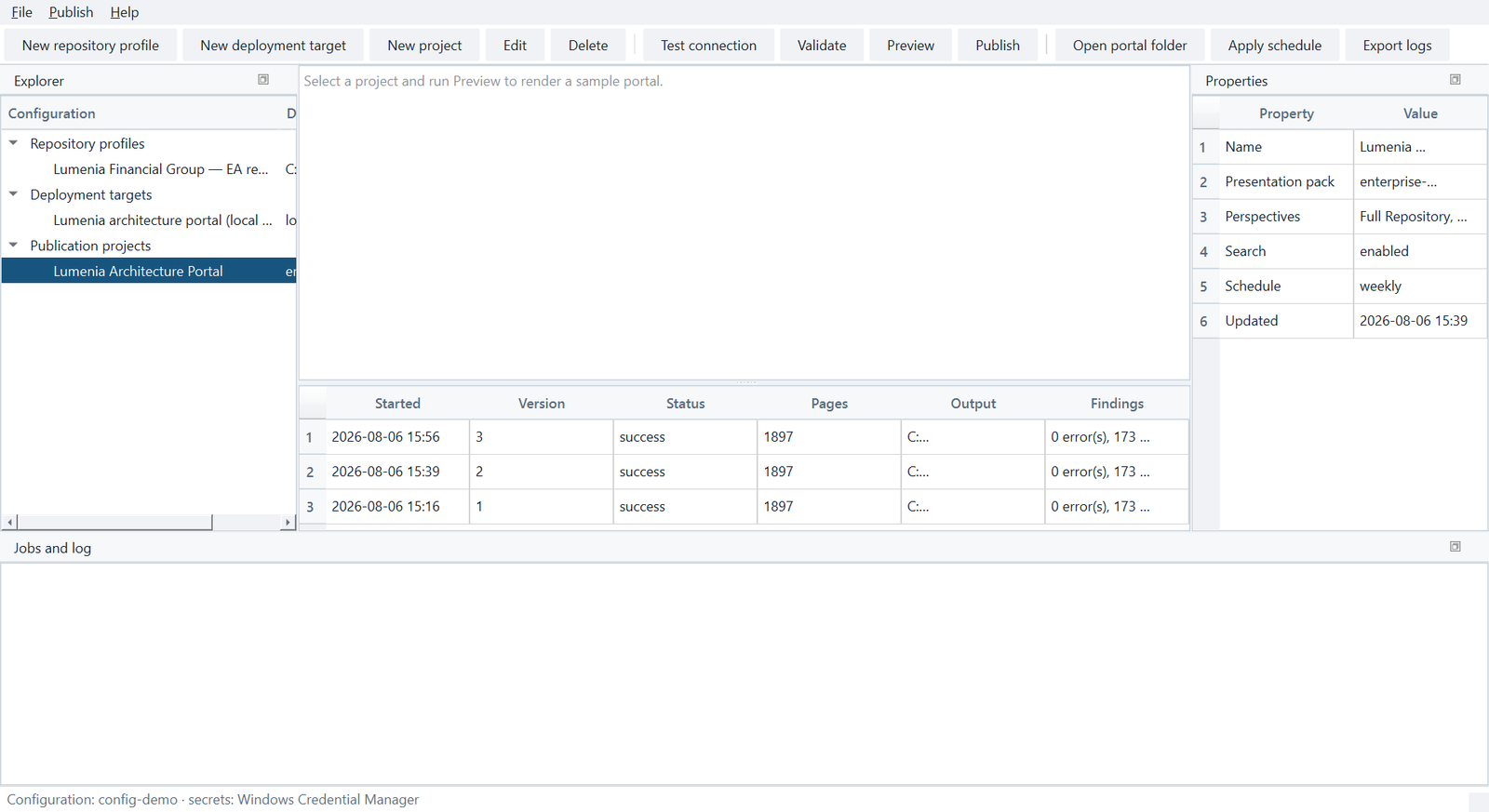
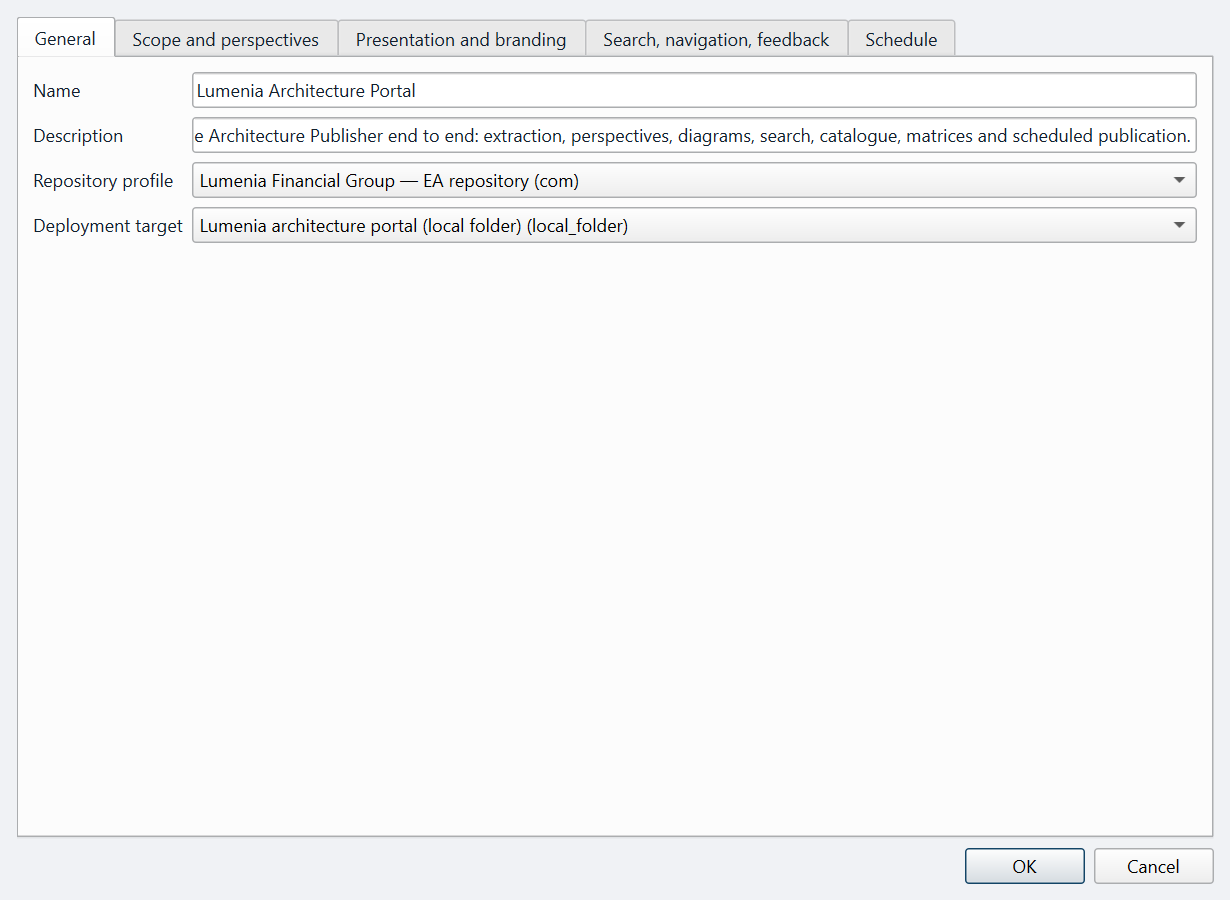
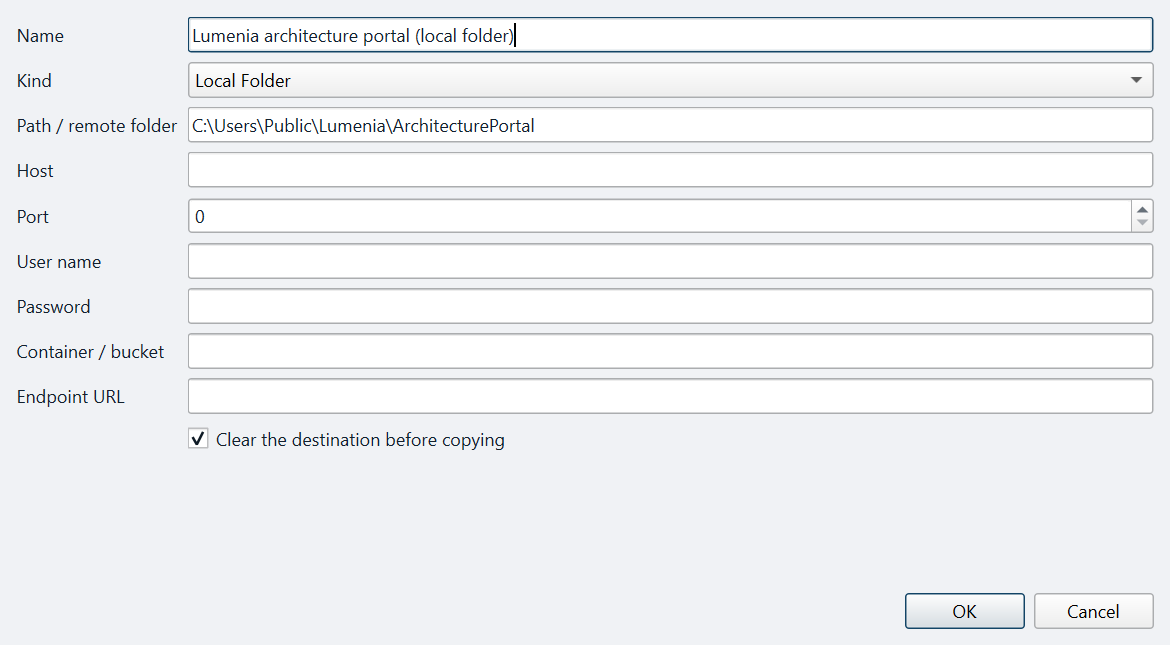
The console is a native Windows desktop application. Three things get configured once — where the repository is, where the portal goes, and how often it should be rebuilt — and after that the product runs itself.
Setting the periodicity
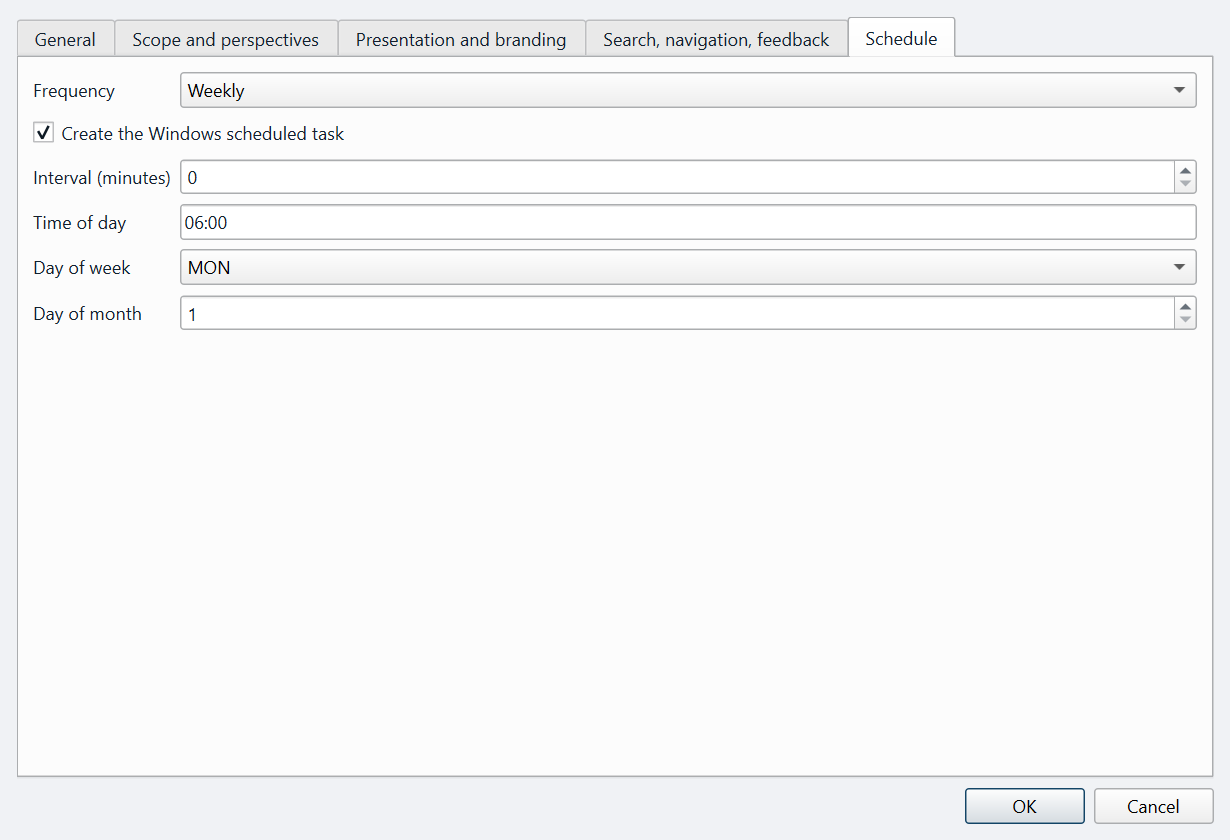
This is the setting that decides whether a portal stays trustworthy. Pick a cadence and Architecture Publisher registers a Windows scheduled task that runs the publication command unattended. Manual, every n minutes, daily, weekly or monthly.
What readers get
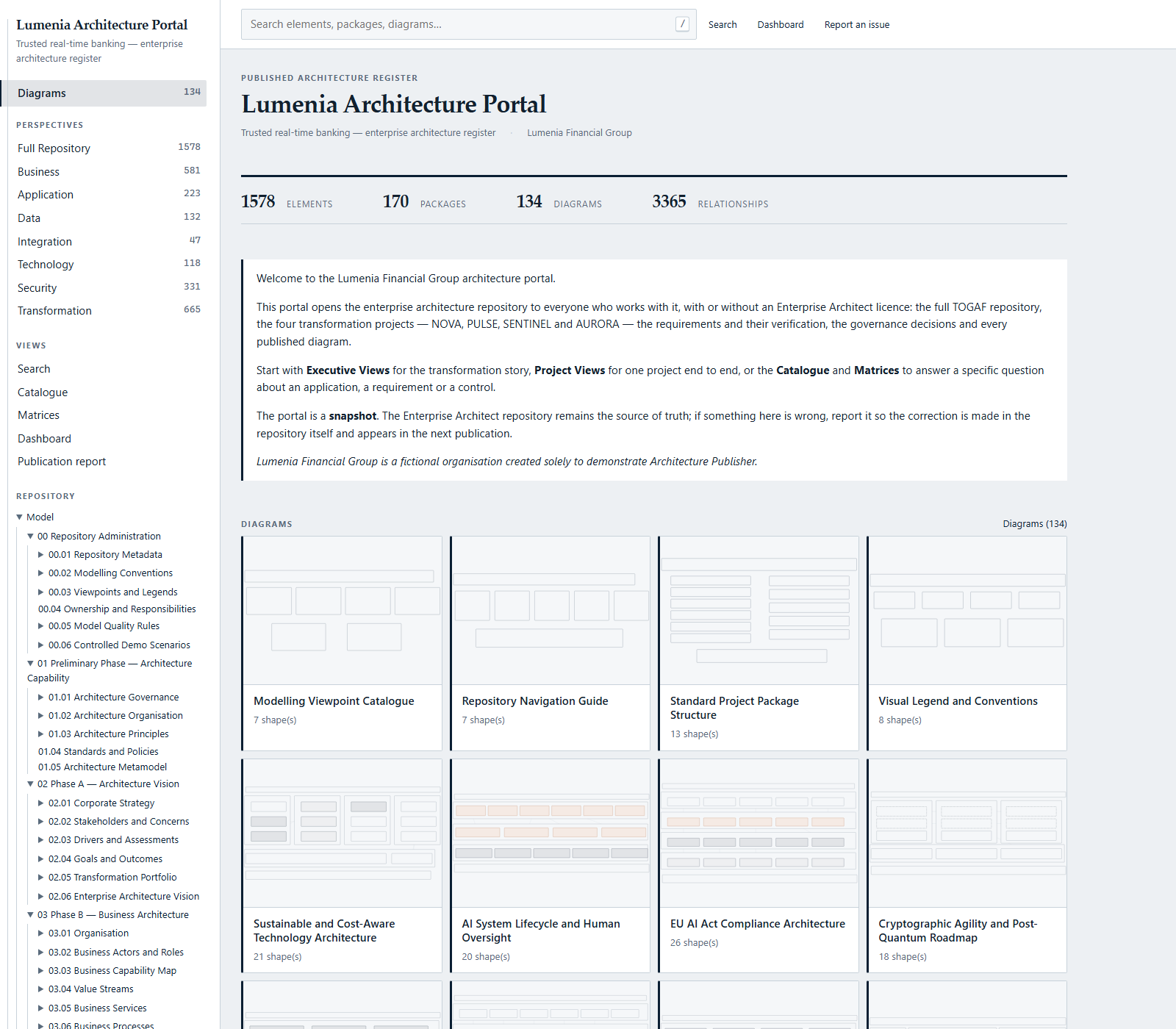
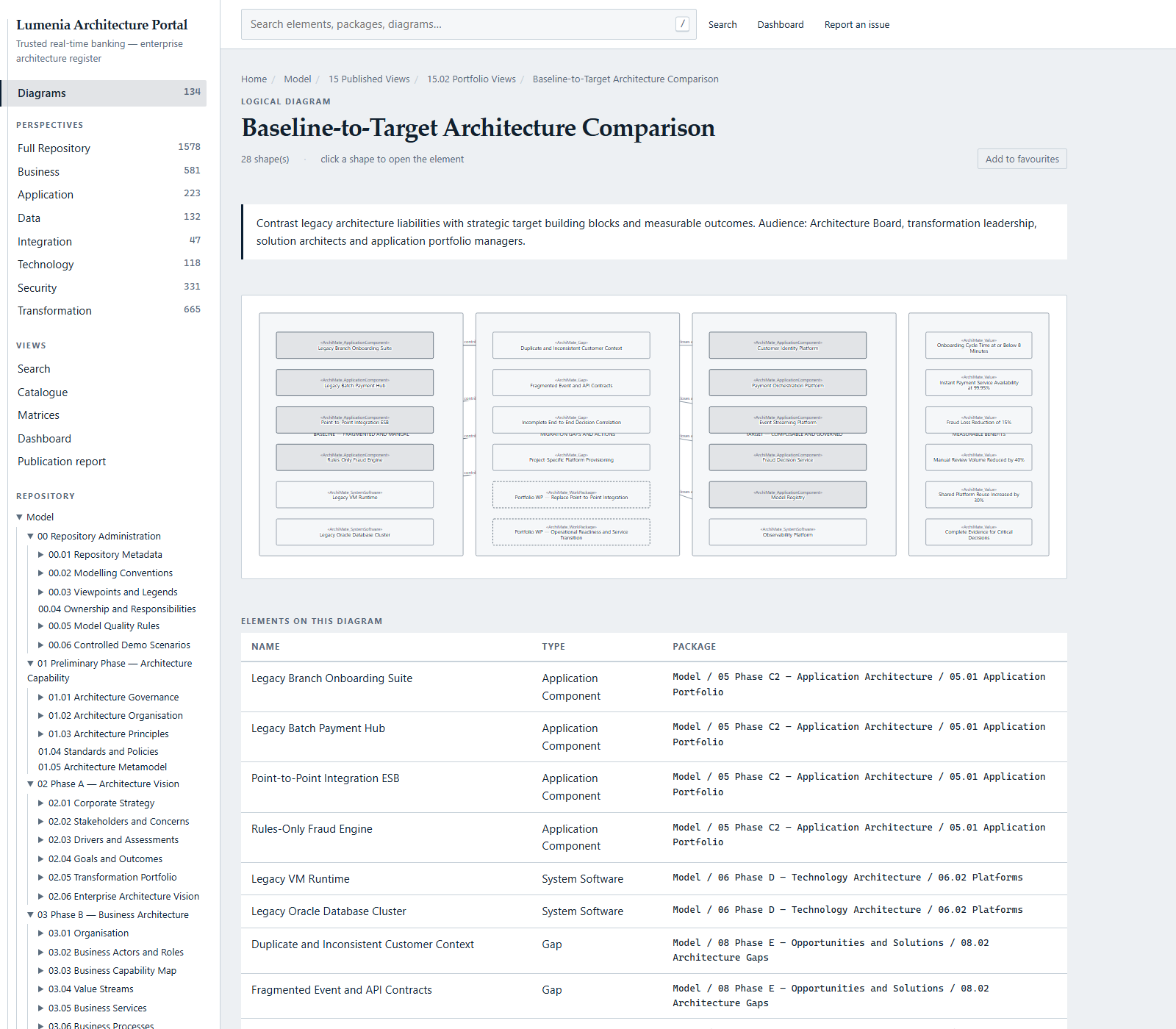
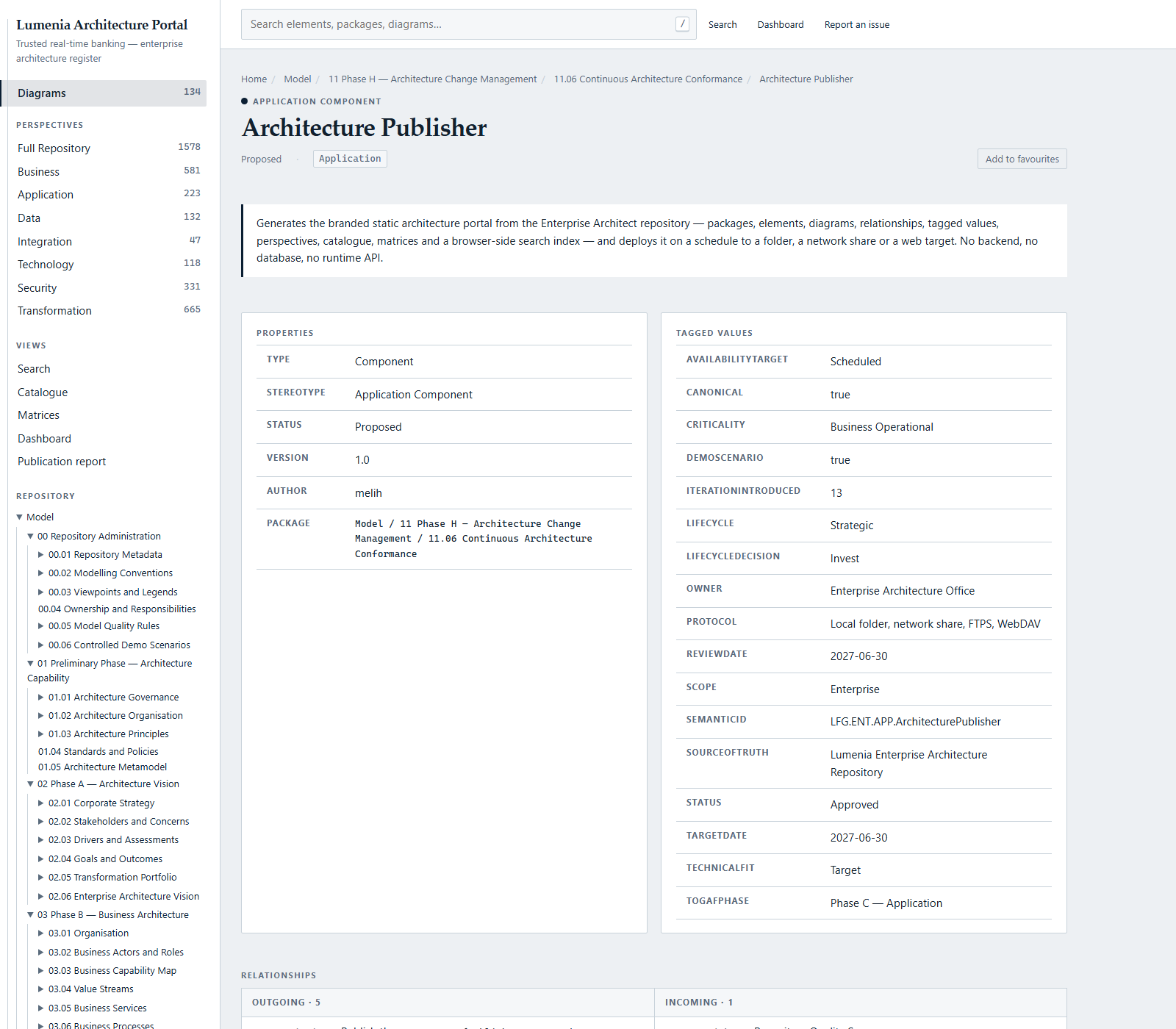
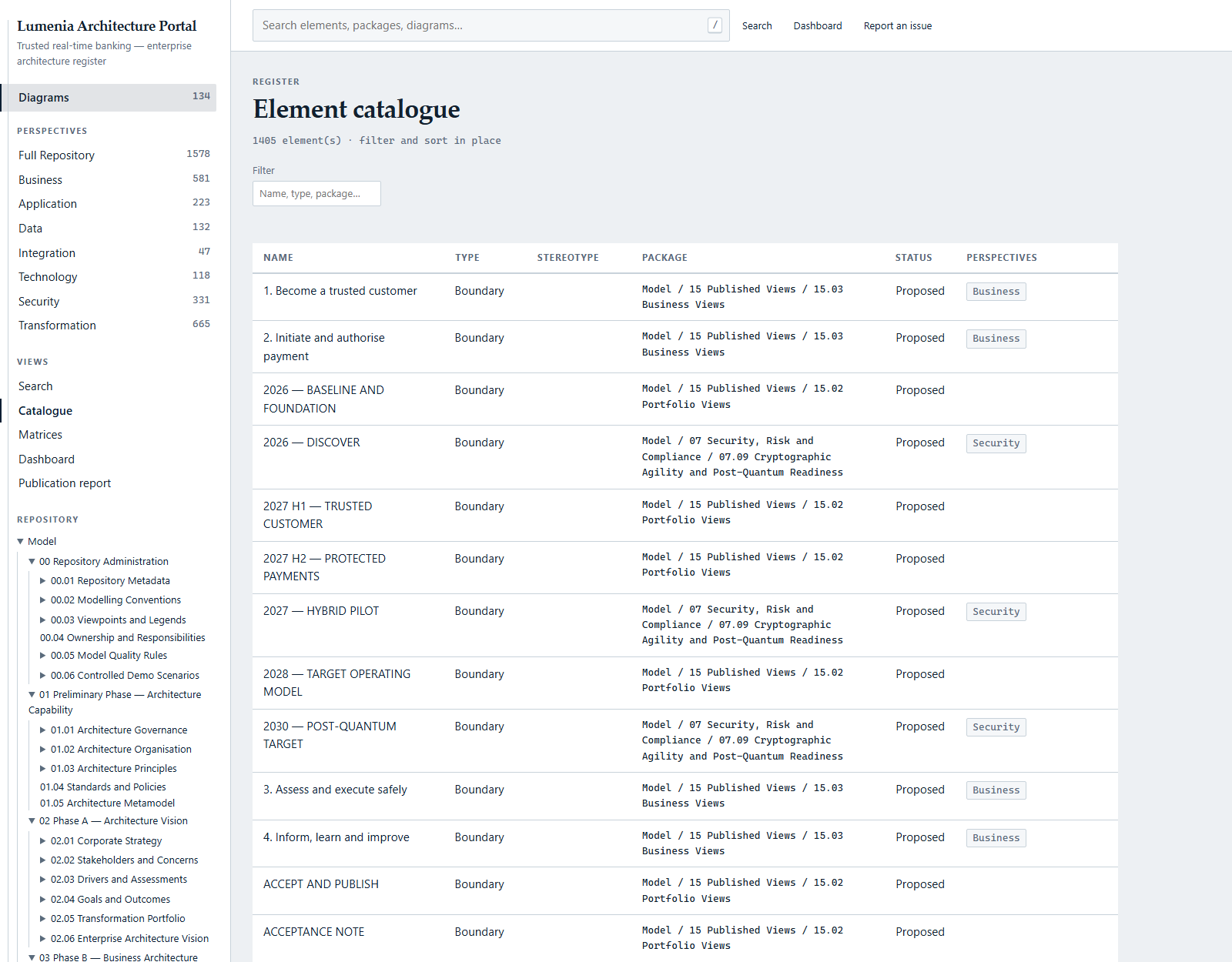
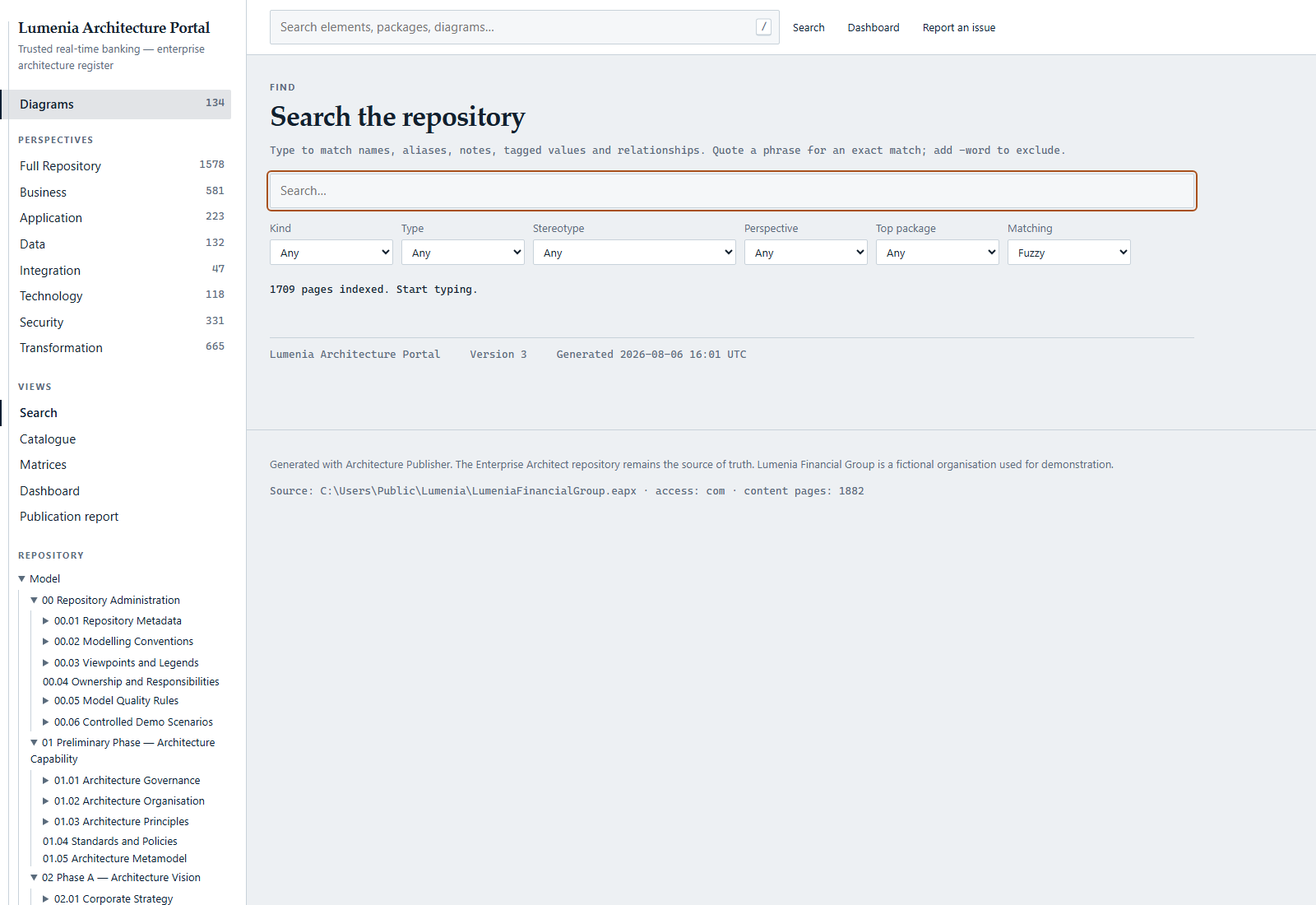
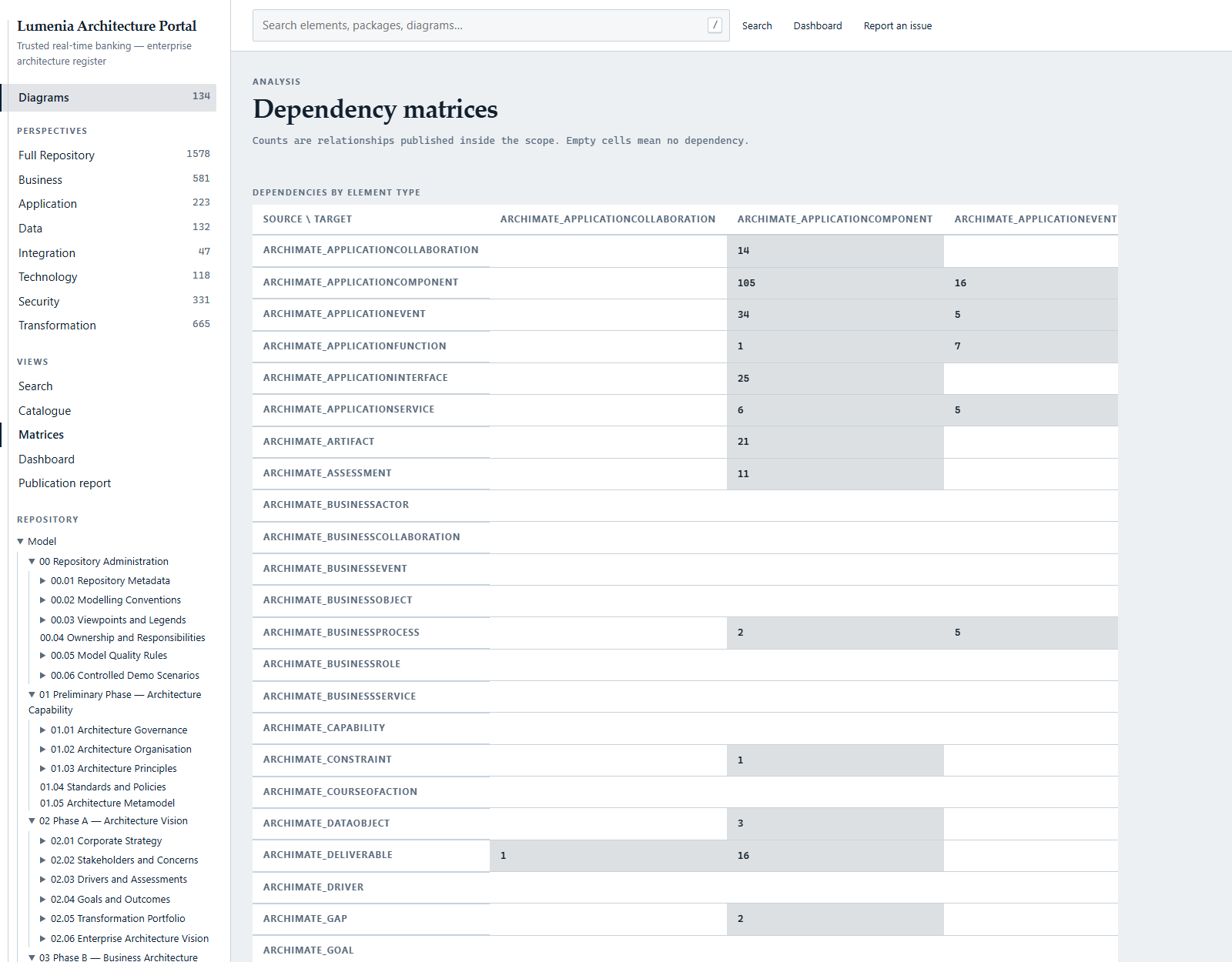
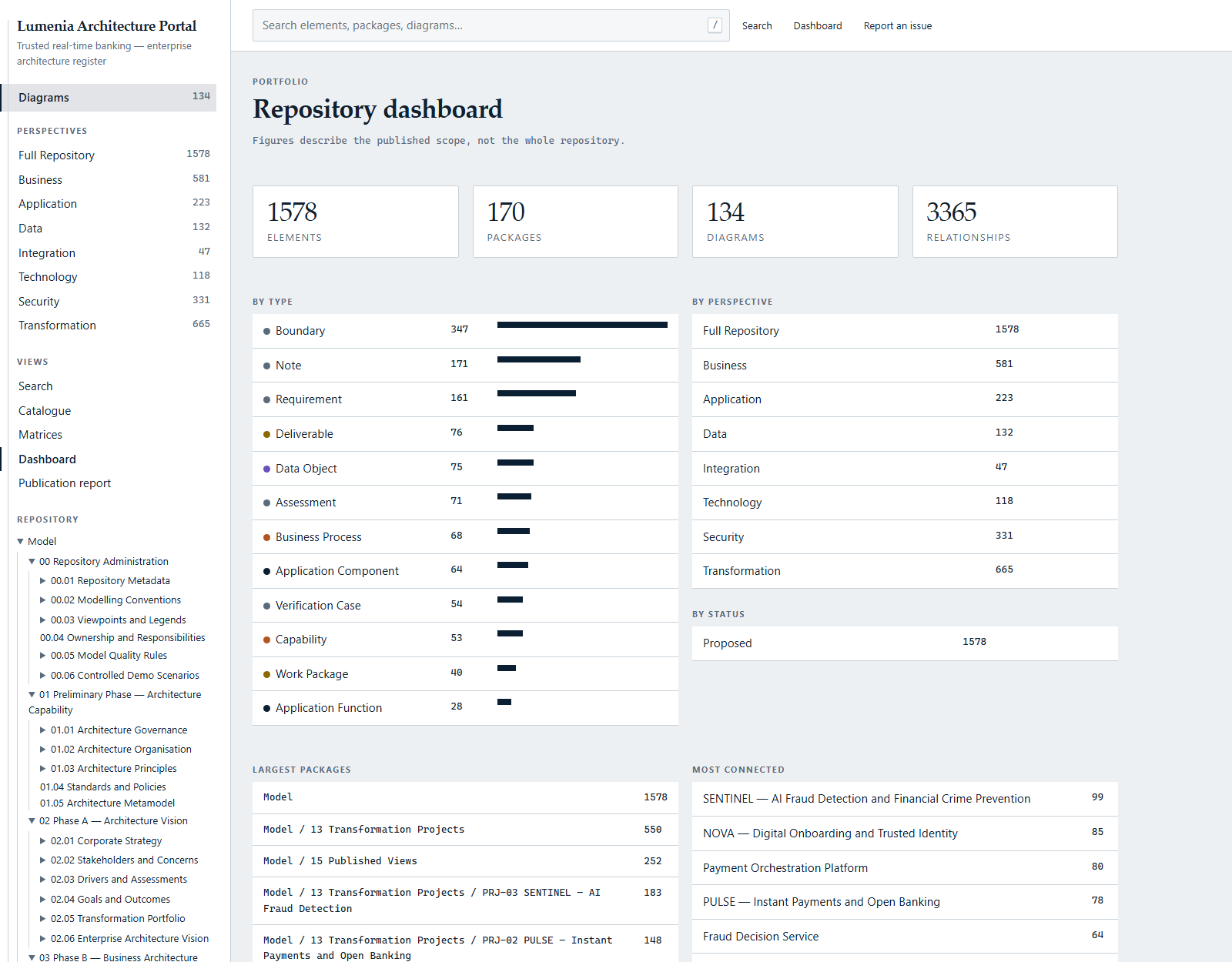
The screenshots below come from a real publication of the sample repository described further down — nothing here is a mock-up.
The whole repository, navigable
Packages, elements, diagrams, relationships and tagged values, with a lazily loaded repository tree, breadcrumbs, backlinks, favourites and recently viewed.
Interactive diagrams
Every diagram rendered as interactive SVG with clickable elements, a thumbnail gallery on the landing page and package pages, and related diagrams ranked by shared elements.
Search that works offline
A browser-side index built at publication time: instant, prefix, phrase, exclusion and fuzzy matching across five facets. No search server anywhere.
Eight perspectives
Full, business, application, data, integration, technology, security and transformation. Publish all of them or only the ones a given audience should see.
Catalogue, matrices, dashboard
Tabular catalogues for answering portfolio questions, relationship matrices for coverage and gaps, and a dashboard that summarises the baseline.
Seven presentation packs
Corporate, public administration, executive, technical, minimal, dark and civic. All on one token contract, so a third-party pack can be registered too.
Scheduled publication
Manual, interval, daily, weekly or monthly through the Windows Task Scheduler. Set it once and the portal tracks the repository.
Deploy where people look
Local folder, network share, FTP(S) and WebDAV. SFTP, Azure Blob and S3 are registered and refuse cleanly rather than pretending to work.
A publication report
Every run records what was included, what was skipped and why. A portal you cannot audit is a portal you cannot trust.
The demonstration repository
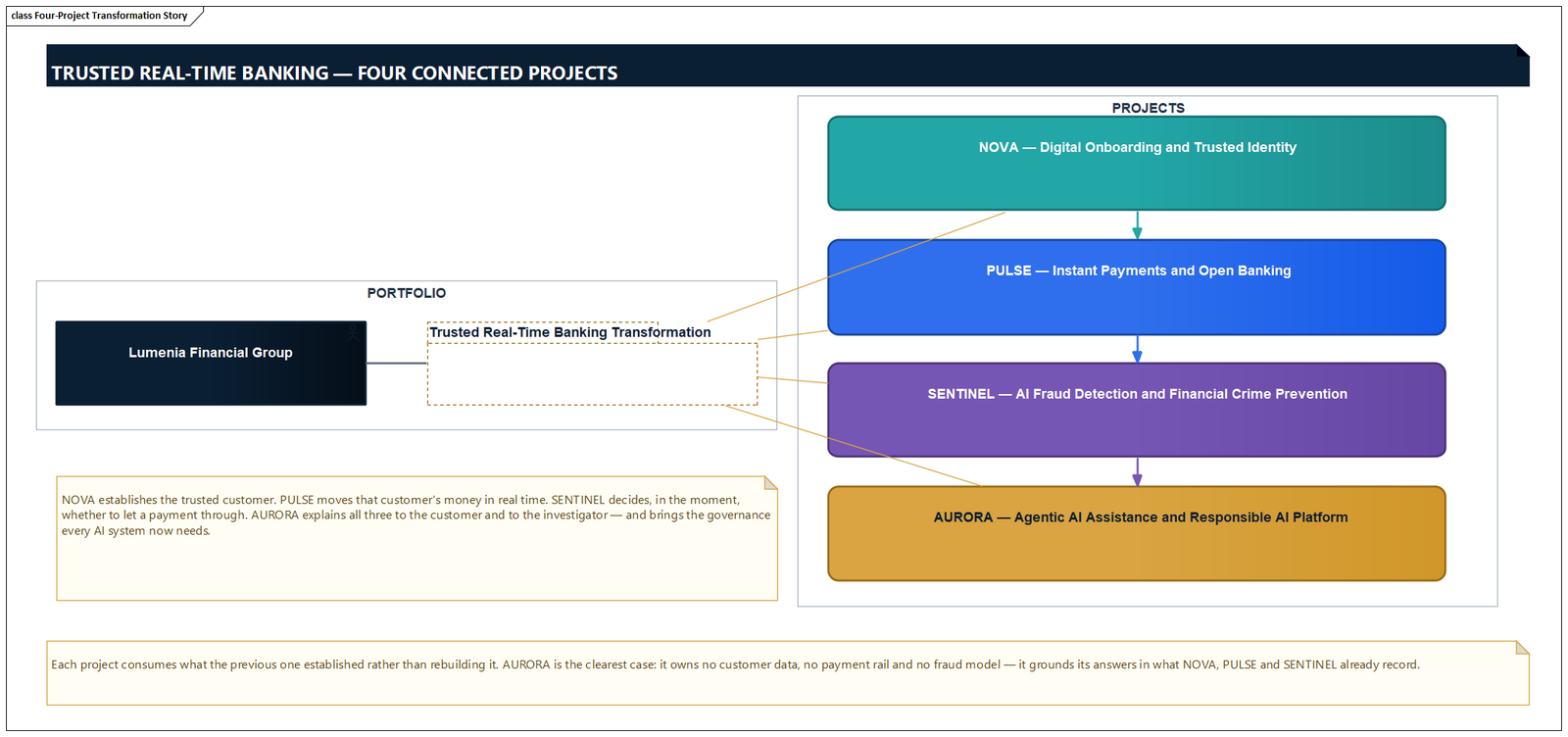
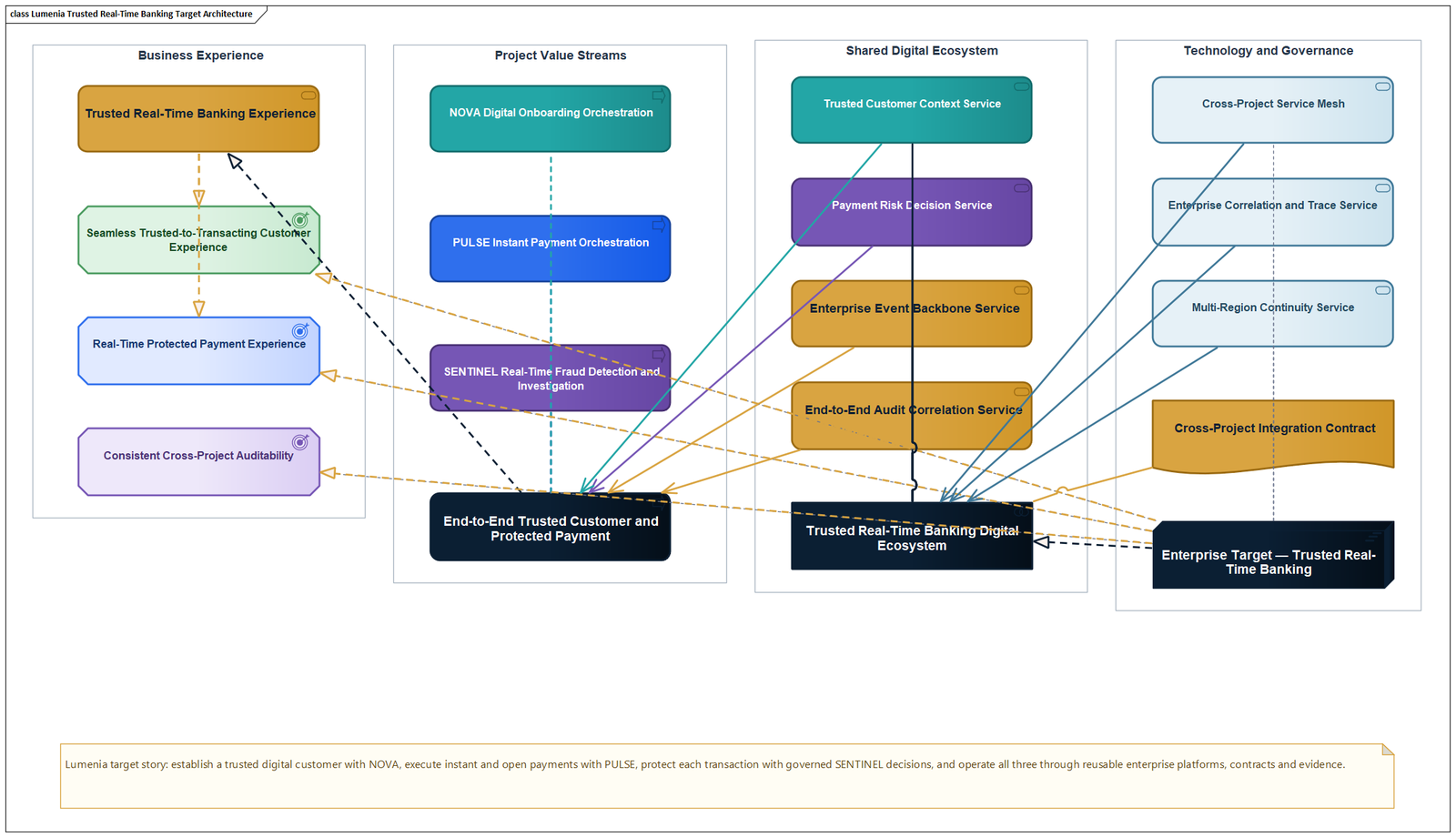
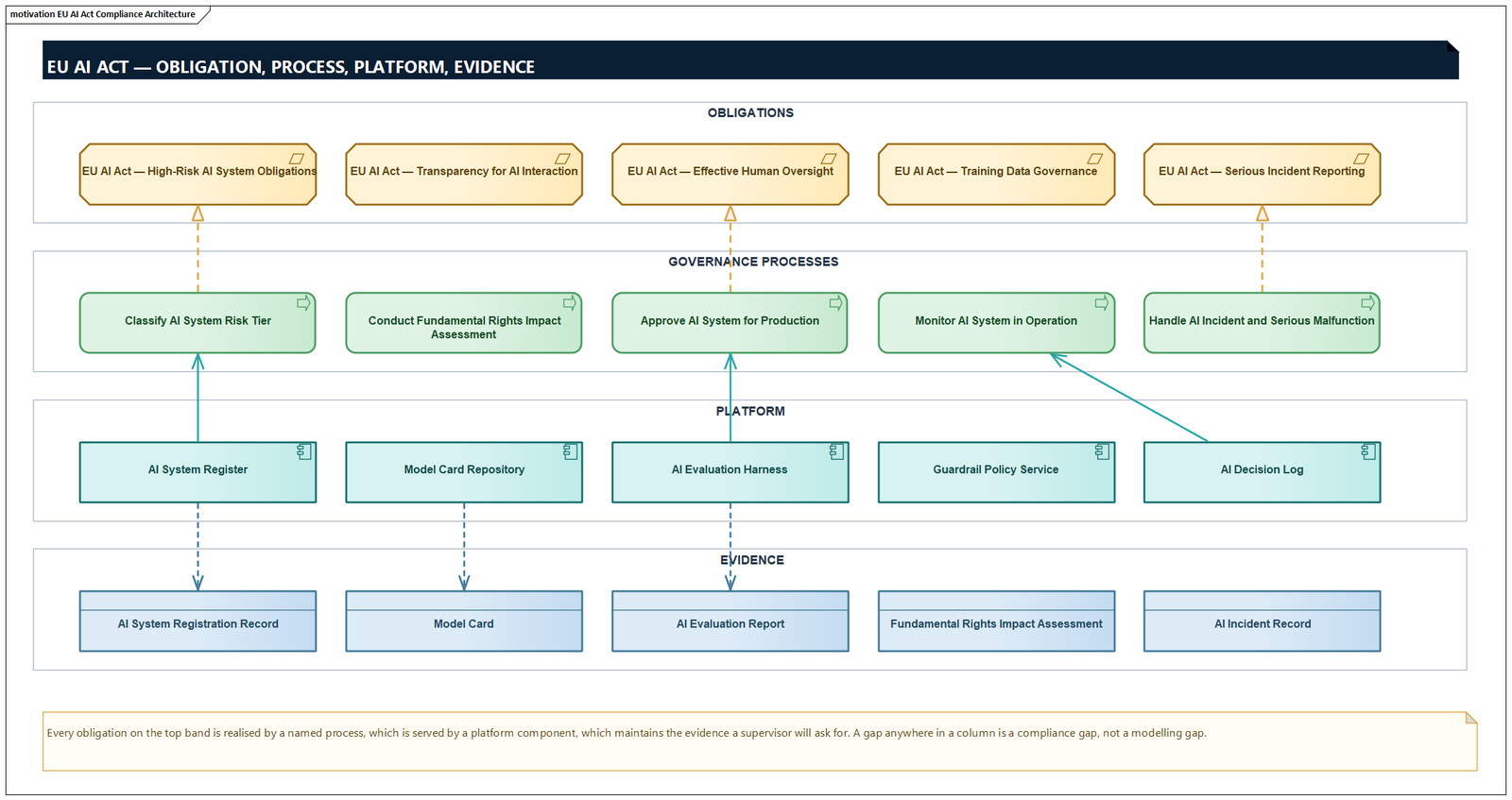
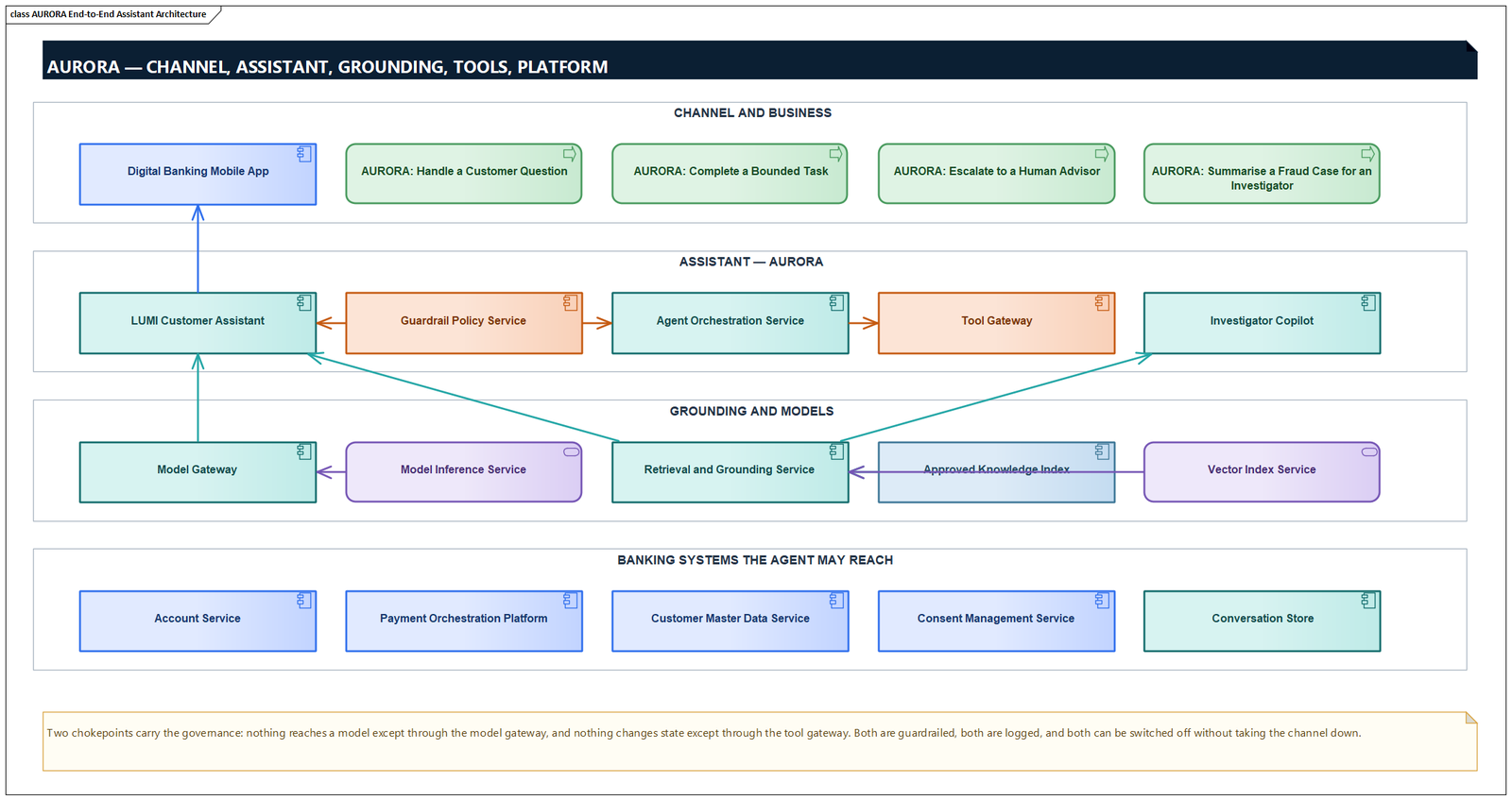
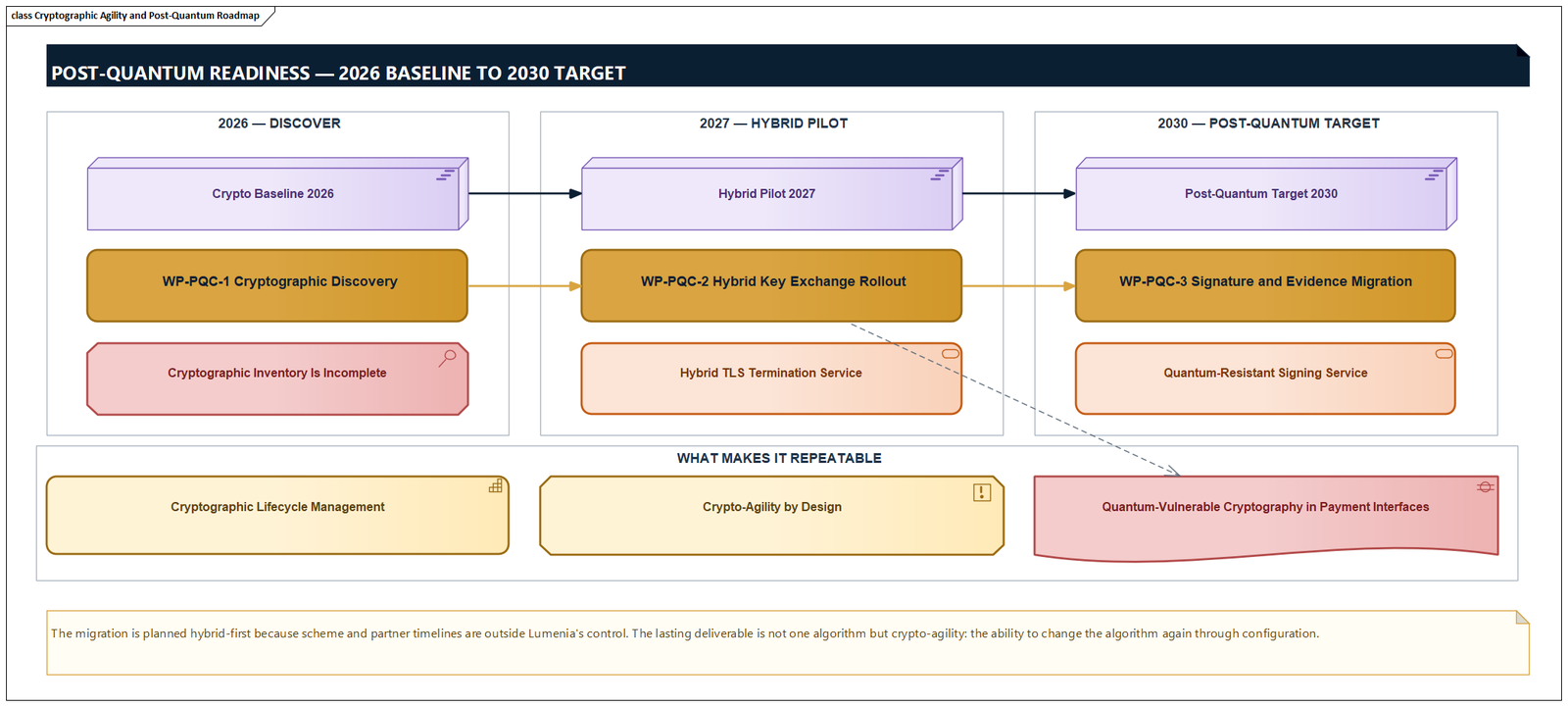
Everything shown here is generated from Lumenia Financial Group, a fictional European digital bank we maintain as a demonstration repository. It is a full TOGAF ADM structure with four connected transformation projects — trusted digital onboarding, instant payments, AI fraud detection, and a governed AI assistant — carried all the way through to requirements, verification cases and governance decisions.
It exists so that a demonstration shows a repository with the problems real ones have: regulatory obligations that have to be traced, projects that depend on each other, and decisions that need evidence.
The repository is itself generated from a text DSL and rebuilt by a script inside Enterprise Architect, so the whole demonstration is reproducible: change the source, rebuild, republish. That is also how we keep it honest — a validator checks referential integrity and diagram geometry before anything is imported.
The technical facts
| Version | Architecture Publisher 0.2.1 |
|---|---|
| Reads | Sparx Enterprise Architect — COM automation interface (Windows) or Pro Cloud Server over HTTP. Read-only. |
| Produces | Static HTML, CSS, JavaScript, JSON, SVG and images |
| Needs at runtime | A browser. No backend, no database, no server-side rendering, no secrets, no API. |
| Languages | English, German, Spanish, French, Italian, Japanese, Dutch, Chinese |
| Perspectives | Full, business, application, data, integration, technology, security, transformation |
| Presentation packs | Seven, on a shared token contract; third-party packs registerable |
| Deployment | Local folder, network share, FTP(S), WebDAV |
| Scheduling | Windows Task Scheduler — manual, interval, daily, weekly, monthly |
| Security | Windows Authentication with an ARCHPUB-Admins group; credentials in Windows Credential Manager / DPAPI |
| Console | Native Windows desktop application with dockable panels, property grid and background jobs |
| Configuration store | SQLite with versioned migrations |
Where the product is today
Architecture Publisher is at version 0.2.1. Publishing from a local Enterprise Architect repository, deploying to a folder or a share and running on a schedule are the paths we exercise on every release — the portal on this page was generated that way.
The Pro Cloud Server adapter is tested against recorded responses rather than a live server, and the SFTP, Azure Blob and S3 deployment targets are registered but deliberately refuse rather than half-work. If your situation needs one of those, tell us — that is a roadmap conversation, not a sales one.
Questions we get asked
Does everyone who reads the portal need a Sparx EA licence?
No. The portal is plain HTML, CSS, JavaScript, JSON, SVG and images. Anyone with a browser can read it. Licences stay with the people who actually model.
Does it need a server, a database or an API at runtime?
No. The output is fully static. It runs from a web server, an intranet file share or a USB stick. There is no backend to secure, no database to back up and no runtime API to break.
How does it read the repository?
Through the documented Enterprise Architect automation interface (EA.Repository) on Windows, or over HTTP against Pro Cloud Server. It reads only — it never writes to your repository.
Can it publish automatically?
Yes. Publication is registered with the Windows Task Scheduler and can run manually, at an interval, or daily, weekly or monthly at a chosen time. The command line is what the scheduled task runs, so anything you can schedule you can also run by hand or from a pipeline.
Can we brand it?
You supply one brand colour, a logo and a favicon. The presentation pack derives the body-text tint from your colour so the result still meets WCAG AA contrast without maintaining a second palette. Seven packs ship with the product.
Which languages does the portal render in?
English, German, Spanish, French, Italian, Japanese, Dutch and Chinese. One publication renders in one language; adding a language is a single file.
How large a repository can it handle?
Measured on synthetic repositories, 8,000 elements publish in about 3.6 seconds to roughly 80 MB, and 30,000 elements in about 14.5 seconds to roughly 309 MB. The browser-side search index warns once it passes 8 MB.
How is this different from WebEA or Prolaborate?
Those are live, server-hosted views of a repository, with the infrastructure and licensing that implies. Architecture Publisher produces a dated, immutable snapshot with nothing to run. Different tool for a different job: it is for distributing an approved baseline widely, not for collaborating on a live model.
Related
See it against your own repository
The fastest way to judge Architecture Publisher is to point it at a copy of your own model and look at what comes out. We will run it with you, on your repository, and you keep the portal whatever you decide afterwards.
Arrange a demonstration