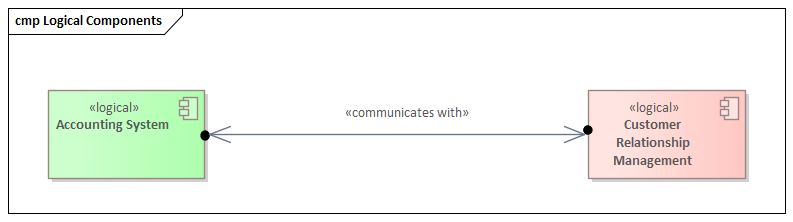
Introduction: Beyond Diagrams — Sparx EA as an Insight Engine
While most people use Sparx Enterprise Architect (EA) for modeling and documentation, its true potential lies in its ability to act as a knowledge graph — a network of concepts and relationships that enable insight, not just representation.
In this article, we explain how to turn your EA repository into a semantic graph that reveals dependencies, patterns, gaps, and opportunities across business, application, data, and technology domains.
What Is a Knowledge Graph?
A knowledge graph is a connected data structure where:
- Nodes = Concepts or entities (e.g., Applications, Capabilities, Risks)
- Edges = Relationships (e.g., Realizes, Supports, Uses, Mitigates)
Each node can have attributes (metadata), and the structure is queryable to discover new knowledge — not just what was explicitly documented.
Why Use EA as a Knowledge Graph?
- EA stores structured entities and relationships — not just images
- Supports cross-domain modeling: Business, Data, Application, Infra
- Rich metadata via tags and custom stereotypes
- Supports SQL queries, model searches, matrices, and graphs
- Traceability across full architecture lifecycle
Core Features Enabling Knowledge Graph Thinking
1. Repository Relationships
- Dependency, Realization, Association, Trace, Access, Control
- Directionality and semantics help answer “how and why” questions
2. Element Metadata
- Tagged values (Status, Owner, Sensitivity, Compliance)
- Element types, stereotypes, packages, and notes
3. Queries and Scripts
- Model Search (custom SQL or LINQ-like expressions)
- EA Scripts to traverse, output, or analyze the graph
Example Queries as Knowledge Graph Insights
1. Capabilities Not Supported by Any Application
SELECT c.Name FROM t_object c
WHERE c.Stereotype = 'Capability'
AND NOT EXISTS (
    SELECT * FROM t_connector co
    JOIN t_object app ON app.Object_ID = co.End_Object_ID
    WHERE co.Start_Object_ID = c.Object_ID
    AND app.Stereotype = 'ApplicationComponent'
)
2. Applications That Process Sensitive Data Without Encryption
SELECT a.Name FROM t_object a
JOIN t_object d ON d.ParentID = a.Object_ID
WHERE a.Stereotype = 'ApplicationComponent'
AND d.Tag = 'DataSensitivity' AND d.Value = 'High'
AND d.Tag NOT IN ('Encrypted=true')
3. Business Processes Affected by a Specific Regulation
- Trace Regulation → Risk → Control → Process
- Each hop is a connector, potentially different types
Visualization: Making the Graph Visible
Use EA diagrams not just to design but to analyze:
- Heatmaps: Color-code elements by tag values (RiskLevel, Compliance)
- Relationship Matrix: Visualize many-to-many mappings
- Traceability Diagram: Automatic backtracking of impacts
- Prolaborate Dashboards: Graphs, charts, and filters for stakeholders
Client Use Case: Government Architecture Inventory
We supported a national agency in using EA as a knowledge graph to:
- Scan thousands of models to identify capabilities without owners
- Analyze redundant applications across departments
- Trace personal data exposure through workflows and systems
- Report on regulatory gaps with visual dependency paths
Extending the Graph with External Data
- Link EA elements to external IDs (e.g., Jira, Azure, CMDB)
- Enrich EA elements with scripts pulling metrics or status from other systems
- Use the Pro Cloud Server API to build interactive data pipelines
Limitations and Considerations
- EA doesn’t use RDF or SPARQL (not a formal semantic graph)
- Metadata quality matters — missing tags = broken insights
- Modeler discipline needed for reusable elements and consistent links
Conclusion: From Repository to Insight Engine
Sparx EA is more than a modeling tool. With the right meta-model, discipline, and queries, it becomes a knowledge graph — powering insight, impact analysis, and strategic alignment.
If your models are connected, clean, and well-tagged, you don’t just “see” architecture — you interrogate it. You ask it questions. And that’s when architecture becomes intelligence.
Keywords/Tags
- enterprise architect knowledge graph
- sparx EA as semantic model
- EA repository as graph database
- sparx model query examples
- architecture insight engine
- traceability sparx EA knowledge graph
- relational modeling EA
- capability map trace analysis
- sparx EA data graph
- metadata analytics architecture
If you’d like hands-on training tailored to your team (Sparx Enterprise Architect, ArchiMate, TOGAF, BPMN, SysML, or the Archi tool), you can reach us via our contact page.